Terraform Cheatsheet
Practical Terraform cheatsheet covering the core CLI commands, state management, import, workspaces, and key HCL patterns for variables, locals, outputs, dynamic blocks, and more. Useful for daily IaC workflows.
A practical cheatsheet covering the Terraform CLI commands engineers reach for constantly: init, plan, apply, import, taint, and state operations. It also covers the key HCL patterns for variables, locals, outputs, and dynamic blocks.
The sections below cover Terraform commands, syntax, and examples.
No commands found
Try adjusting your search term
Core CLI Commands
Core Terraform commands for initialization, validation, planning, applying, and destroying infrastructure.
Initialization & Validation
Commands to set up your Terraform workspace and check configuration validity.
Initializes the working directory, downloads providers and modules.
terraform initTerraform has been successfully initialized!Checks whether the configuration is valid (run after init).
terraform validateSuccess! The configuration is valid.Upgrades modules and providers to the latest allowed versions.
terraform init -upgradePlan & Apply
Preview and execute infrastructure changes safely.
Shows what Terraform will create, change, or destroy.
terraform planSaves the plan to a file for later apply.
terraform plan -out=plan.tfplanApplies a saved plan without prompting.
terraform apply plan.tfplanApplies changes without confirmation (use in CI/CD).
terraform apply -auto-approveDestroy
Safely remove all managed infrastructure.
Destroys all resources managed by Terraform.
terraform destroyDestroys only the targeted resource.
terraform destroy -target=aws_instance.exampleState Management
Commands for inspecting, manipulating, and synchronizing Terraform state.
State Commands
Core operations on the Terraform state file.
Lists all resources currently tracked in state.
terraform state listShows detailed attributes of a specific resource in state.
terraform state show aws_instance.exampleMoves or renames a resource in state without recreating it.
terraform state mv aws_instance.old aws_instance.newRemoves a resource from state (does not delete the actual infrastructure).
terraform state rm aws_instance.exampleImport & Taint
Bring existing resources under management and force recreation.
Imports an existing EC2 instance into Terraform state.
terraform import aws_instance.example i-1234567890abcdef0Replaces (recreates) a resource on the next apply (preferred over taint).
terraform apply -replace=aws_instance.exampleState Pull & Push
Synchronize local and remote state files.
Downloads the current remote state.
terraform state pullUploads a local state file to the remote backend.
terraform state push state.tfstateWorkspaces
Manage multiple isolated state environments (dev, staging, prod) with the same code.
Workspace Commands
Create, switch, list, and delete workspaces.
Creates and switches to a new workspace named 'dev'.
terraform workspace new devLists all workspaces (* indicates current).
terraform workspace listSwitches to the 'prod' workspace.
terraform workspace select prodDeletes the 'dev' workspace (must not be current).
terraform workspace delete devHCL Essentials
Core HashiCorp Configuration Language patterns used in every Terraform project.
Variables, Locals & Outputs
Input variables, computed locals, and exposed outputs.
Defines a variable with default, a local for reuse, and an output.
variable "region" {  type = string  default = "us-east-1"}
locals {  common_tags = {    Environment = var.environment    ManagedBy   = "Terraform"  }}
output "vpc_id" {  value       = aws_vpc.main.id  description = "The ID of the VPC"}
Data Sources
Read-only queries for external data.
Fetches the latest Ubuntu AMI for use in resources.
data "aws_ami" "ubuntu" {  most_recent = true  owners      = ["099720109477"] # Canonical
  filter {    name   = "name"    values = ["ubuntu/images/hvm-ssd/ubuntu-focal-20.04-amd64-server-*"]  }}
Dynamic Blocks & for_each
Advanced HCL patterns for repeatable configuration.
for_each & Dynamic Blocks
Create multiple resource instances and nested blocks dynamically.
Creates one IAM user per item in the set using for_each.
resource "aws_iam_user" "users" { for_each = toset(["alice", "bob"]) name = each.key}Generates multiple ingress blocks dynamically from a list/map.
resource "aws_security_group" "example" {  name = "example"
  dynamic "ingress" {    for_each = var.ingress_rules    content {      from_port   = ingress.value.from_port      to_port     = ingress.value.to_port      protocol    = ingress.value.protocol      cidr_blocks = ingress.value.cidr_blocks    }  }}
Provider Configuration
Common patterns for configuring Terraform providers.
Provider Patterns
Declaring and configuring providers, including aliases.
Required providers block and basic + aliased configuration.
terraform {  required_providers {    aws = {      source  = "hashicorp/aws"      version = "~> 5.0"    }  }}
provider "aws" {  region = var.region}
# Aliased provider for multi-regionprovider "aws" {  alias  = "west"  region = "us-west-2"}
Debugging
Tools and techniques for troubleshooting Terraform issues.
Logging & Terraform Console
Enable detailed logs and test expressions interactively.
Enables the most verbose logging (TRACE, DEBUG, INFO, WARN, ERROR).
TF_LOG=TRACE terraform planInteractive REPL to test expressions and functions.
terraform console> join(", ", ["a", "b"])"a, b"Modules
Package and reuse configurations with module blocks sourced from local paths, Git, or public/private registries with version pinning.
Calling a Module
A module block instantiates reusable config; source is required and version applies only to registry sources.
Call a registry module with a version constraint
Instantiates a child module from the public registry; version is honored only for registry sources.
module "vpc" { source = "terraform-aws-modules/vpc/aws" # NAMESPACE/NAME/PROVIDER version = "~> 5.0" # pessimistic constraint name = "prod-vpc" cidr = "10.0.0.0/16"}- Modules also accept count, for_each, depends_on, and an explicit providers mapping.
Reference a module output
A module exposes only values declared as output blocks; reach them as module.<name>.<output>.
resource "aws_instance" "web" { subnet_id = module.vpc.private_subnet_ids[0] # module.<NAME>.<OUTPUT>}Source Types & terraform get
Modules load from local paths, Git, or registries; terraform get and init keep them current.
Source a module from Git at a pinned tag
Git source with a subdirectory and a pinned ref for reproducible init.
module "network" { # // separates the repo from a subdirectory, ?ref pins a tag/branch/commit source = "git::https://github.com/org/repo.git//modules/vpc?ref=v1.4.0"}- The GitHub shorthand github.com/org/repo//modules/vpc?ref=v1.4.0 expands to this HTTPS form.
Download and upgrade modules
terraform get fetches modules only; init -upgrade also handles providers and rewrites .terraform.lock.hcl.
terraform get # download modules into .terraform/modulesterraform get -update # upgrade modules to the newest allowedterraform init -upgrade # upgrade modules AND providers, rewrite the lockVariables & Outputs
Parameterize configurations with typed, validated inputs and expose results through outputs, supplied via tfvars, flags, or environment.
Declaration, Types & Validation
Declare typed input variables with optional defaults and custom validation rules checked at plan time.
Typed variable with a default
Without a default the variable is required; complex types use list(...), map(...), object({...}).
variable "instance_count" { type = number # string | number | bool | list()/set()/map()/object() default = 2 # omit default to make the variable required}Enforce allowed values with validation
The validation block fails fast at plan time; error_message must be a full sentence ending in a period.
variable "env" { type = string validation { condition = contains(["dev", "staging", "prod"], var.env) error_message = "env must be dev, staging, or prod." }}Supplying Values & Outputs
Values come from tfvars, -var flags, or TF_VAR_ env vars by precedence; outputs expose results and can be marked sensitive.
Pass variables by flag, file, or environment
Precedence low to high, TF_VAR_* < terraform.tfvars < *.auto.tfvars < -var/-var-file (last on the line wins).
terraform apply -var="instance_count=3" # inline (highest precedence)terraform apply -var-file="prod.tfvars" # from a fileexport TF_VAR_instance_count=3 # environment form- terraform.tfvars and *.auto.tfvars load automatically; named files need -var-file.
Declare an output and read it for scripts
-raw and -json are the scripting-friendly forms; mark secrets sensitive = true to redact them from CLI and plan output.
# output "db_endpoint" { value = aws_db_instance.main.address }terraform output # all outputs, human-readableterraform output -json # machine-readableterraform output -raw db_endpoint # raw string, no quotesBackends & Remote State
Store state remotely with locking (S3, HCP Terraform) and consume other stacks' outputs via the terraform_remote_state data source.
S3 Backend with Native Locking
Store state in S3 with encryption and a native lockfile (Terraform 1.10+), replacing the deprecated DynamoDB lock table.
S3 backend with native lockfile (TF 1.10+)
use_lockfile uses an S3 conditional-write lock object; requires bucket versioning. dynamodb_table is deprecated as of 1.11.
terraform { backend "s3" { bucket = "my-tf-state" key = "prod/network/terraform.tfstate" region = "us-east-1" encrypt = true use_lockfile = true # native S3 lock, no DynamoDB (TF 1.10+) }}- Enable bucket versioning and encrypt = true; you can run use_lockfile and dynamodb_table together during migration, then drop DynamoDB.
Remote State & Migration
Read another config's outputs with terraform_remote_state, connect to HCP Terraform, and migrate between backends.
Consume another stack's outputs
Read-only access to another configuration's published outputs; only declared output values are visible.
data "terraform_remote_state" "network" { backend = "s3" config = { bucket = "my-tf-state" key = "prod/network/terraform.tfstate" region = "us-east-1" }}# use: data.terraform_remote_state.network.outputs.private_subnet_ids[0]Migrate or reconfigure the backend
-migrate-state copies existing state into the new backend; -reconfigure discards the old association without copying.
terraform init -migrate-state # copy state into a newly changed backendterraform init -reconfigure # reinit backend, ignore existing stateterraform init -backend-config=backend.hcl # partial config from a fileFunctions & Expressions
Transform and compute values with built-in functions, for/conditional/splat expressions, and the interactive console.
Common Built-in Functions
Encode/decode data, merge maps, provide defaults, and compute network ranges with built-in functions.
Everyday functions
templatefile renders external templates (use it instead of the removed template_file data source); try swallows evaluation errors.
user_data = templatefile("${path.module}/init.tftpl", { port = var.port })config = jsonencode({ name = var.name, tags = var.tags })merged = merge(var.default_tags, var.extra_tags) # right map winsname = coalesce(var.name, "unnamed") # first non-emptyport = try(var.settings.port, 8080) # first that succeedssubnet = cidrsubnet("10.0.0.0/16", 8, 4) # -> 10.0.4.0/24- jsondecode/yamldecode parse strings back into HCL values; lookup(map, key, default) reads a map with a fallback.
for, Conditionals & Console
Reshape collections with for expressions, choose with conditionals, collect with splat, and prototype in terraform console.
for, conditional, and splat expressions
[...] yields a list, {...} yields a map; splat [*] pulls one attribute across every instance.
upper_names = [for n in var.names : upper(n) if n != ""] # list + filterby_id = { for s in var.subnets : s.id => s.cidr } # produce a mapinstance_type = var.env == "prod" ? "m5.large" : "t3.micro" # ternaryall_ips = aws_instance.web[*].private_ip # splatPrototype expressions in the console
Evaluates functions, variables, and resource attributes against real state without running a plan.
terraform console # interactive REPLecho 'cidrsubnet("10.0.0.0/16", 8, 2)' | terraform console # pipe inputTesting & Validation
Validate, format, and test configurations with the native test framework, lifecycle assertions, check blocks, and ecosystem linters.
validate & fmt
Check syntax and enforce canonical style, with non-mutating forms for CI gates.
Validate and format
validate needs init first; fmt -check -recursive is the CI-friendly, non-mutating form.
terraform validate # syntax + internal consistencyterraform fmt -check -recursive # exit non-zero if anything is unformattedterraform fmt -diff # show changes without writingterraform test & Assertions
Write native tests in .tftest.hcl and enforce invariants with precondition, postcondition, and check blocks.
A native test file (TF 1.6+)
The native framework is stable in Terraform 1.6+; run terraform test to execute every *.tftest.hcl file.
run "creates_vpc" { command = plan # "plan" (fast) or "apply" (real infra) variables { cidr = "10.0.0.0/16" } assert { condition = aws_vpc.this.cidr_block == "10.0.0.0/16" error_message = "VPC CIDR did not match input." }}- Prefer command = plan for fast unit-style assertions; command = apply creates then destroys real infrastructure.
Lifecycle and check assertions
precondition/postcondition (TF 1.2+) hard-stop on failure; check blocks (TF 1.5+) only warn, good for post-deploy validation.
lifecycle { precondition { condition = data.aws_ami.selected.architecture == "x86_64" error_message = "AMI must be x86_64." }}# check "health" { ... } -> failed check is a WARNING, not an error (TF 1.5+)Was this useful?
Continue on this topic
The same subject, covered a different way from the cheatsheet above.
 Article
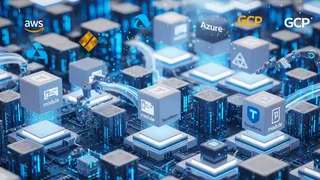
Modular Terraform for Scalable Infrastructure as Code
Best practices for modular Terraform: module design, versioning, testing, and state management for consistent, automated cloud infrastructure.
 Dev tip
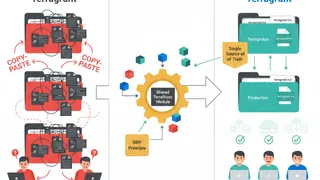
Managing Terraform at Scale with Terragrunt
How Terragrunt wraps Terraform to remove duplicated backend and provider config across dev, staging, and production: defining shared settings once, overriding per environment, and letting Terragrunt handle state and module dependencies.
 Quiz
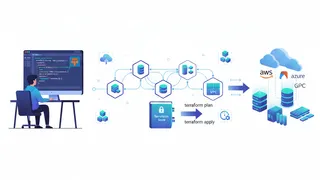
QuizTerraform: Infrastructure as Code Essentials
Test your knowledge of Terraform fundamentals with this quiz covering key concepts and best practices.
 Case study
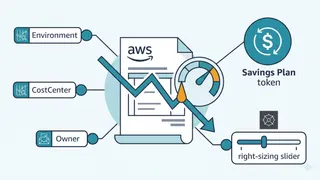
Cutting a SaaS AWS Bill 41% Without Slowing Delivery
A FinOps case study on a SaaS running on EKS with full GitOps and progressive delivery: how tagging, right-sizing node groups, and Savings Plans matched to the roadmap cut the AWS bill without freezing feature work.
You might also enjoy
More posts on similar topics
AWS CLI
- Mohammad Abu Mattar
- Cloud Computing
- AWS
- DevOps
- CLI
- Automation
The AWS Command Line Interface (CLI) lets you orchestrate infrastructure, move cloud data, and configure security entirely from the terminal. This reference covers configuring identity profiles, manag
Docker Swarm
- Mohammad Abu Mattar
- DevOps
- Docker
- Containers
- Orchestration
- Deployment
This cheatsheet is a reference for managing Docker Swarm clusters, services, and stacks. It covers the commands and best practices for scaling, updating, and monitoring your swarm applications.
kubectl
- Mohammad Abu Mattar
- DevOps
- Kubernetes
- CLI
- Container Orchestration
- Cloud Native
kubectl is the command-line tool you use to talk to a Kubernetes cluster. Whatever you can do through a dashboard, you can do faster here: deploy apps, inspect resources, stream logs, run commands ins
Linux Networking
- Mohammad Abu Mattar
- Linux
- Networking
- DevOps
- CLI
- SysAdmin
Every Linux box speaks the network through a small set of tools, and knowing them turns "the network is broken" into a specific, fixable answer. This cheatsheet covers the modern stack: ip for inter
GitHub Actions
- Mohammad Abu Mattar
- CI/CD
- DevOps
- GitHub
- Automation
- YAML
GitHub Actions runs your CI/CD directly from YAML files in .github/workflows/, and most of the job is knowing which key does what. A workflow reacts to events, splits into jobs that run on runners,
Docker
- Mohammad Abu Mattar
- DevOps
- Docker
- Containers
- Deployment
Docker is a containerization platform that packages applications with their dependencies into isolated, portable environments called containers. It enables developers to build, ship, and run applicati
6 related posts