Containers & Kubernetes
Essential terms every DevOps engineer should know about containers and Kubernetes.
This glossary covers essential terms for working with containers and Kubernetes: building Docker images, and managing workloads, networking, storage, scaling, and security in a Kubernetes cluster.
No terms found
Try adjusting your search query
Containers
16
Container
A lightweight, standalone, executable package that bundles the code, runtime, libraries, and settings needed to run a piece of software, isolated from the host system.
Example
Code Snippet
docker run -d -p 80:80 nginxDocker
An open platform for building, shipping, and running applications inside containers, providing tooling to create images, manage containers, and interact with registries.
Example
Code Snippet
docker build -t myapp:latest .Dockerfile
A text file containing ordered instructions that Docker follows to automatically build a container image, layer by layer.
Example
Code Snippet
```dockerfileFROM python:3.11-slimWORKDIR /appCOPY requirements.txt .RUN pip install -r requirements.txtCOPY . .CMD ["python", "app.py"]```Docker Image
A read-only, layered template used to create containers. Built from a Dockerfile and stored in a registry. Each layer represents a set of filesystem changes.
Example
Code Snippet
docker pull postgres:15Docker Layer
Each instruction in a Dockerfile creates a read-only layer in the resulting image. Layers are cached and reused across builds to improve performance.
Example
Code Snippet
```dockerfileRUN apt-get update && apt-get install -y curl# This becomes one cached layer```Docker Compose
A tool for defining and running multi-container Docker applications using a YAML file, allowing you to start all services with a single command.
Example
Code Snippet
```yamlservices: web: image: myapp ports: - "8080:8080" db: image: postgres:15```Container Registry
A storage and distribution service for Docker images, allowing teams to push, pull, version, and share images across environments.
Example
Code Snippet
docker push 123456789.dkr.ecr.us-east-1.amazonaws.com/myapp:latestDocker Hub
The default public container registry provided by Docker, hosting official images for popular software as well as user-published images.
Example
Code Snippet
docker pull node:18-alpineBase Image
The starting point for a Dockerfile, specified in the FROM instruction. It provides the OS and runtime environment on top of which your application is built.
Example
Code Snippet
FROM node:18-alpineMulti-stage Build
A Dockerfile technique that uses multiple FROM instructions to separate the build environment from the final runtime image, reducing the size of the produced image.
Example
Code Snippet
```dockerfileFROM golang:1.21 AS builderRUN go build -o app .
FROM alpine:3.18COPY --from=builder /app /appCMD ["/app"]```Container Runtime
The low-level software responsible for running containers on a host, managing their lifecycle including starting, stopping, and isolating them using OS primitives.
Example
Code Snippet
systemctl status containerdVolume
A mechanism for persisting data generated by and used by Docker containers, existing outside the container lifecycle so data survives container restarts or deletion.
Example
Code Snippet
docker run -v pgdata:/var/lib/postgresql/data postgres:15Bind Mount
A type of Docker mount that maps a specific file or directory on the host machine directly into a container, enabling live file sharing between host and container.
Example
Code Snippet
docker run -v $(pwd):/app myapp:devContainer Network
A virtual network that Docker creates to allow containers to communicate with each other and with the outside world, with different drivers supporting different topologies.
Example
Code Snippet
docker network create mynetwork.dockerignore
A file that specifies patterns of files and directories to exclude from the Docker build context, reducing build time and preventing secrets from being included in images.
Example
Code Snippet
```node_modules.env*.log.git```Container Orchestration
The automated management of containerized workloads across multiple hosts, handling deployment, scaling, networking, and self-healing of containers at scale.
Example
Code Snippet
kubectl get pods --watchKubernetes Configuration
4
ConfigMap
A Kubernetes object used to store non-sensitive configuration data as key-value pairs, decoupling configuration from container images.
Example
Code Snippet
```yamlapiVersion: v1kind: ConfigMapmetadata: name: app-configdata: LOG_LEVEL: "info" MAX_CONNECTIONS: "100"```Secret
A Kubernetes object that stores sensitive data such as passwords, tokens, and TLS certificates, keeping them separate from application code and pod specs.
Example
Code Snippet
kubectl create secret generic db-secret --from-literal=password=mypasswordResourceQuota
A Kubernetes policy that limits the aggregate resource consumption per namespace, controlling how much CPU, memory, and object count a team can use.
Example
Code Snippet
```yamlapiVersion: v1kind: ResourceQuotaspec: hard: requests.cpu: "8" requests.memory: 16Gi```LimitRange
A Kubernetes policy that sets default and maximum resource requests and limits for containers in a namespace, preventing unbounded resource consumption.
Example
Code Snippet
```yamlapiVersion: v1kind: LimitRangespec: limits: - default: memory: 512Mi type: Container```Kubernetes Core
9
Kubernetes (K8s)
An open-source container orchestration platform originally developed by Google that automates deploying, scaling, and managing containerized applications across clusters.
Example
Code Snippet
kubectl cluster-infoCluster
A set of machines (nodes) that run containerized applications managed by Kubernetes, consisting of at least one control plane and one or more worker nodes.
Example
Code Snippet
kubectl get nodesControl Plane
The set of components that manage the overall state of the Kubernetes cluster, including scheduling workloads, maintaining desired state, and serving the API.
Example
Code Snippet
kubectl get componentstatusesNode
A physical or virtual machine in a Kubernetes cluster that runs workloads. Each node contains a kubelet, container runtime, and kube-proxy.
Example
Code Snippet
kubectl describe node my-nodePod
The smallest deployable unit in Kubernetes, consisting of one or more tightly coupled containers that share the same network namespace, IP address, and storage volumes.
Example
Code Snippet
```yamlapiVersion: v1kind: Podmetadata: name: my-podspec: containers: - name: app image: myapp:latest```Namespace
A Kubernetes mechanism for isolating groups of resources within a single cluster, providing scope for names, resource quotas, and access control policies.
Example
Code Snippet
kubectl create namespace stagingetcd
A distributed key-value store used by Kubernetes as its primary backing store for all cluster state and configuration data.
Example
Code Snippet
etcdctl get /registry/pods/default/my-podkube-scheduler
The Kubernetes control plane component responsible for assigning newly created pods to nodes, based on resource requirements, constraints, and policies.
Example
Code Snippet
kubectl -n kube-system get pod -l component=kube-schedulerkube-proxy
A network component that runs on each node and maintains network rules to forward traffic destined for Services to the correct pod endpoints.
Example
Code Snippet
kubectl -n kube-system get pod -l k8s-app=kube-proxyKubernetes Networking
6
Service
A Kubernetes abstraction that provides a stable network endpoint for accessing a set of pods, with built-in load balancing and DNS-based service discovery.
Example
Code Snippet
```yamlapiVersion: v1kind: Servicespec: selector: app: backend ports: - port: 80 targetPort: 8080```ClusterIP
The default Kubernetes Service type that exposes the service on an internal cluster IP, making it reachable only from within the cluster.
Example
Code Snippet
```yamlspec: type: ClusterIP ports: - port: 5432```NodePort
A Kubernetes Service type that exposes the service on a static port on each node's IP, making it accessible from outside the cluster via any node's IP and that port.
Example
Code Snippet
```yamlspec: type: NodePort ports: - port: 80 nodePort: 30080```LoadBalancer
A Kubernetes Service type that provisions an external cloud load balancer and assigns a public IP, forwarding traffic into the cluster's pods.
Example
Code Snippet
```yamlspec: type: LoadBalancer ports: - port: 443```Ingress
A Kubernetes API object that manages external HTTP and HTTPS access to services, providing routing rules, TLS termination, and virtual hosting in one place.
Example
Code Snippet
```yamlapiVersion: networking.k8s.io/v1kind: Ingressspec: rules: - host: app.example.com http: paths: - path: /api backend: service: name: api-service```Ingress Controller
A pod that runs inside the cluster and implements the Ingress rules, acting as a reverse proxy and load balancer for incoming traffic. Common options include Nginx and Traefik.
Example
Code Snippet
helm install ingress-nginx ingress-nginx/ingress-nginxKubernetes Reliability
5
Liveness Probe
A Kubernetes health check that determines if a container is still running correctly. If the probe fails, Kubernetes restarts the container automatically.
Example
Code Snippet
```yamllivenessProbe: httpGet: path: /healthz port: 8080 initialDelaySeconds: 10 periodSeconds: 10```Readiness Probe
A Kubernetes health check that determines if a container is ready to accept traffic. Pods that fail the readiness probe are removed from Service endpoints until they recover.
Example
Code Snippet
```yamlreadinessProbe: httpGet: path: /ready port: 8080 initialDelaySeconds: 5 periodSeconds: 5```Startup Probe
A Kubernetes health check that gives slow-starting containers extra time to initialize before liveness and readiness probes take over, preventing premature restarts.
Example
Code Snippet
```yamlstartupProbe: httpGet: path: /healthz port: 8080 failureThreshold: 30 periodSeconds: 10```Rolling Update
A Kubernetes Deployment strategy that gradually replaces old pod replicas with new ones, keeping enough replicas available throughout the update that there is no downtime.
Example
Code Snippet
```yamlstrategy: type: RollingUpdate rollingUpdate: maxSurge: 1 maxUnavailable: 0```Pod Disruption Budget (PDB)
A Kubernetes policy that limits the number of pods of a replicated application that can be simultaneously unavailable during voluntary disruptions such as node drains.
Example
Code Snippet
```yamlapiVersion: policy/v1kind: PodDisruptionBudgetspec: minAvailable: 2 selector: matchLabels: app: my-web```Kubernetes Scaling
3
HorizontalPodAutoscaler (HPA)
A Kubernetes resource that automatically scales the number of pod replicas in a Deployment based on observed CPU utilization or custom metrics.
Example
Code Snippet
kubectl autoscale deployment my-app --cpu-percent=60 --min=2 --max=20VerticalPodAutoscaler (VPA)
A Kubernetes component that automatically adjusts the CPU and memory resource requests and limits of containers based on historical usage patterns.
Example
Code Snippet
```yamlapiVersion: autoscaling.k8s.io/v1kind: VerticalPodAutoscalerspec: updatePolicy: updateMode: Auto```Cluster Autoscaler
A Kubernetes component that automatically adjusts the number of nodes in a cluster when pods cannot be scheduled due to resource constraints or nodes are underutilized.
Example
Code Snippet
kubectl -n kube-system logs deployment/cluster-autoscalerKubernetes Scheduling
2
Taint & Toleration
A Kubernetes mechanism where taints are applied to nodes to repel pods, and tolerations are applied to pods to allow them to schedule onto tainted nodes.
Example
Code Snippet
```yamltolerations:- key: "gpu" operator: "Equal" value: "true" effect: "NoSchedule"```Node Affinity
A Kubernetes scheduling rule that constrains which nodes a pod can be scheduled onto based on node labels, offering more expressive rules than node selectors.
Example
Code Snippet
```yamlaffinity: nodeAffinity: requiredDuringSchedulingIgnoredDuringExecution: nodeSelectorTerms: - matchExpressions: - key: topology.kubernetes.io/zone operator: In values: [us-east-1a]```Kubernetes Security
3
RBAC (Role-Based Access Control)
A Kubernetes authorization mechanism that regulates access to cluster resources based on the roles assigned to users or service accounts.
Example
Code Snippet
```yamlapiVersion: rbac.authorization.k8s.io/v1kind: Rolerules:- apiGroups: ["apps"] resources: ["deployments"] verbs: ["get", "update"]```ServiceAccount
A Kubernetes identity assigned to pods, allowing them to authenticate to the Kubernetes API and interact with cluster resources according to their RBAC permissions.
Example
Code Snippet
```yamlapiVersion: v1kind: ServiceAccountmetadata: name: app-service-account namespace: production```NetworkPolicy
A Kubernetes resource that controls the traffic flow at the IP address or port level between pods and external endpoints, acting as a firewall within the cluster.
Example
Code Snippet
```yamlapiVersion: networking.k8s.io/v1kind: NetworkPolicyspec: ingress: - from: - podSelector: matchLabels: app: backend```Kubernetes Storage
3
PersistentVolume (PV)
A piece of storage in the cluster provisioned by an administrator or dynamically by a StorageClass, with a lifecycle independent of any pod that uses it.
Example
Code Snippet
```yamlapiVersion: v1kind: PersistentVolumespec: capacity: storage: 100Gi accessModes: - ReadWriteOnce```PersistentVolumeClaim (PVC)
A request for storage by a user that consumes a PersistentVolume, specifying size and access mode. Kubernetes binds the PVC to a suitable PV automatically.
Example
Code Snippet
```yamlapiVersion: v1kind: PersistentVolumeClaimspec: accessModes: - ReadWriteOnce resources: requests: storage: 10Gi```StorageClass
A Kubernetes resource that defines different classes of storage with their provisioner and parameters, enabling dynamic provisioning of PersistentVolumes on demand.
Example
Code Snippet
```yamlapiVersion: storage.k8s.io/v1kind: StorageClassprovisioner: ebs.csi.aws.comparameters: type: gp3```Kubernetes Tooling
4
Helm
A package manager for Kubernetes that uses charts to define, install, and upgrade complex Kubernetes applications, simplifying repeatable deployments.
Example
Code Snippet
helm install monitoring prometheus-community/kube-prometheus-stackHelm Chart
A collection of files that describe a related set of Kubernetes resources, packaged together with configurable values to enable reusable and versioned application deployments.
Example
Code Snippet
```mychart/ Chart.yaml values.yaml templates/ deployment.yaml service.yaml```kubectl
The command-line tool for interacting with Kubernetes clusters, allowing you to deploy applications, inspect resources, and manage cluster operations.
Example
Code Snippet
kubectl get pods --all-namespaceskubeconfig
A YAML file that stores cluster connection details, credentials, and context configurations, used by kubectl to authenticate and communicate with Kubernetes clusters.
Example
Code Snippet
kubectl config use-context production-clusterKubernetes Workloads
8
Deployment
A Kubernetes resource that declaratively manages a set of identical, stateless pod replicas, supporting rolling updates, rollbacks, and scaling.
Example
Code Snippet
kubectl scale deployment my-app --replicas=10ReplicaSet
A Kubernetes resource that ensures a specified number of pod replicas are running at any given time. Usually managed by a Deployment rather than directly.
Example
Code Snippet
kubectl get replicasetsStatefulSet
A Kubernetes workload resource for managing stateful applications, providing stable pod identities, ordered deployment, and persistent storage per pod.
Example
Code Snippet
```yamlapiVersion: apps/v1kind: StatefulSetmetadata: name: kafkaspec: serviceName: kafka replicas: 3```DaemonSet
A Kubernetes resource that ensures a copy of a specific pod runs on every node (or a subset of nodes) in the cluster, commonly used for logging and monitoring agents.
Example
Code Snippet
```yamlapiVersion: apps/v1kind: DaemonSetmetadata: name: fluentd```Job
A Kubernetes resource that creates one or more pods to execute a finite task and ensures they run to successful completion, then terminates.
Example
Code Snippet
```yamlapiVersion: batch/v1kind: Jobmetadata: name: db-migration```CronJob
A Kubernetes resource that creates Jobs on a repeating schedule defined using cron syntax, useful for periodic batch tasks like backups or report generation.
Example
Code Snippet
```yamlapiVersion: batch/v1kind: CronJobspec: schedule: "0 2 * * *"```Init Container
A specialized container that runs to completion before app containers in a pod start, used for setup tasks such as waiting for a dependency or initializing config files.
Example
Code Snippet
```yamlinitContainers:- name: wait-for-db image: busybox command: ['sh', '-c', 'until nc -z db 5432; do sleep 2; done']```Sidecar Container
A helper container that runs alongside the main application container in the same pod, augmenting or supporting its functionality without modifying the main image.
Example
Code Snippet
```yamlcontainers:- name: app image: myapp- name: log-shipper image: fluentd```Comments
Was this useful?
Continue on this topic
The same subject, covered a different way from the glossary above.
 Quiz
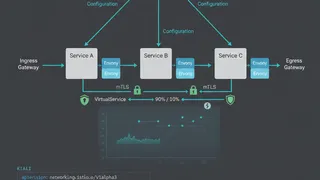
QuizIstio: Service Mesh Fundamentals
Master the fundamentals of Service Mesh, traffic routing, and mutual TLS security within a Kubernetes environment.
 Article
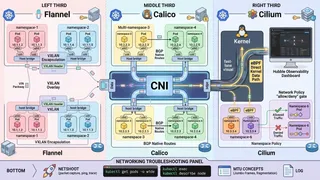
Kubernetes Networking Demystified: CNI Plugins, Network Policies, and Pod-to-Pod Communication
A friendly, technical guide to Kubernetes networking. We cover how CNI plugins like Calico and Cilium work, how to write Network Policies, and how to debug those annoying connectivity issues.
- Cheatsheet
Docker Swarm
Docker Swarm reference guide covering swarm initialization, node management, services, stacks, overlay networking, secrets, configs, rolling updates, and cluster monitoring.
 Case study
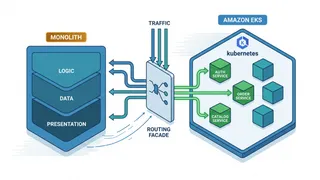
Migrating a Monolith to Kubernetes Without a Big-Bang Cutover
Using the strangler-fig pattern to move a large monolith onto EKS service by service, with a routing facade, gradual traffic shifting, and a rollback at every step.
You might also enjoy
More posts on similar topics
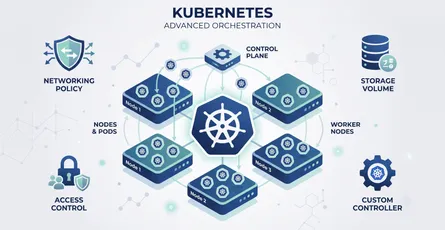
Kubernetes Advanced
This glossary covers the advanced Kubernetes terminology platform engineers rely on: scheduling, networking, storage, security, extensibility, and the workload controllers that keep applications runni

DevOps Basics
This glossary covers foundational terms used in DevOps and cloud engineering, spanning containerization, orchestration, infrastructure as code, CI/CD pipelines, observability, and deployment strategie
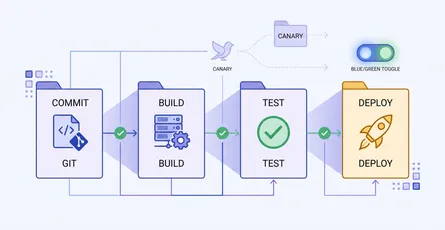
CI/CD & Automation
A quick-reference glossary of the terms you meet when automating builds, tests, and deployments: pipeline anatomy, test gates, and release strategies like canary and blue-green.
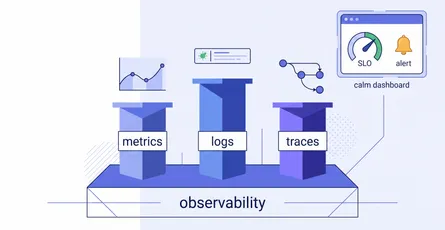
Observability & Monitoring
A quick-reference glossary for making sense of system health: the three pillars (metrics, logs, traces), the reliability vocabulary (SLI, SLO, error budget, burn rate), how good alerting works, and th
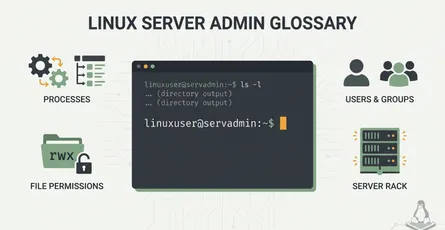
Linux Server Administration
This glossary covers essential Linux server administration concepts: system architecture, user management, networking, storage, process management, performance tuning, and security hardening.
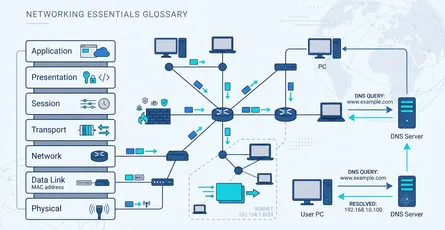
Networking Fundamentals
This glossary covers the core networking concepts every developer, DevOps engineer, and system administrator should know: how data is layered and addressed, and how it gets routed across the internet.
6 related posts