Linux Server Administration
Essential terms every Linux system administrator and DevOps engineer should know.
This glossary covers essential Linux server administration concepts: system architecture, user management, networking, storage, process management, performance tuning, and security hardening.
No terms found
Try adjusting your search query
Configuration
3
Environment Variable
A named value stored in the shell environment that affects how processes behave, commonly used to pass configuration like paths, credentials, and flags to applications.
Example
Code Snippet
export PATH=$PATH:/opt/myapp/bin/etc directory
The standard Linux directory that contains system-wide configuration files for the operating system and installed applications, editable by the root user.
Example
Code Snippet
ls /etc//var directory
A Linux directory that holds variable data files that change during normal system operation, including logs, spools, caches, and runtime data.
Example
Code Snippet
ls /var/log/File Management
2
tar
A command-line utility for creating, extracting, and managing archive files, often combined with compression tools like gzip or bzip2 for backup and distribution.
Example
Code Snippet
tar -czf etc-backup-$(date +%F).tar.gz /etcrsync
A file synchronization and transfer tool that copies files locally or over SSH, transferring only the differences between source and destination.
Example
Code Snippet
rsync -avz --delete /var/www/ user@server:/var/www/Filesystem
1
Symbolic Link (symlink)
A special file that acts as a pointer to another file or directory, allowing the same resource to be accessed from multiple locations in the filesystem.
Example
Code Snippet
ln -s /usr/bin/python3.11 /usr/local/bin/pythonLogging
3
Syslog
The standard logging system on Linux that collects messages from the kernel and applications, routing them to log files or remote logging servers based on facility and severity.
Example
Code Snippet
tail -f /var/log/sysloglogrotate
A utility that automates the rotation, compression, and deletion of log files to prevent them from filling up disk space, configured via /etc/logrotate.conf.
Example
Code Snippet
```/var/log/nginx/*.log { weekly rotate 4 compress missingok notifempty}```rsyslog
A high-performance system logging daemon that extends syslog with features like filtering, TCP/TLS transport, and forwarding logs to remote centralized servers.
Example
Code Snippet
```*.* @@logs.example.com:514```Networking
9
SSH (Secure Shell)
A cryptographic network protocol for securely logging into and executing commands on remote servers over an unsecured network, replacing older protocols like Telnet.
Example
Code Snippet
ssh -i ~/.ssh/my-key.pem ubuntu@192.168.1.10SSH Key Pair
A pair of cryptographic keys, a private key kept locally and a public key placed on the remote server, used to authenticate SSH connections without a password.
Example
Code Snippet
sshd_config
The main configuration file for the OpenSSH server daemon, controlling options such as permitted authentication methods, port, and allowed users.
Example
Code Snippet
```PermitRootLogin noPasswordAuthentication noPort 2222```Firewall
A security system that monitors and controls incoming and outgoing network traffic based on predetermined rules, protecting the server from unauthorized access.
Example
Code Snippet
ufw allow 22/tcp && ufw allow 443/tcp && ufw enableufw (Uncomplicated Firewall)
A user-friendly frontend for managing iptables firewall rules on Ubuntu and Debian-based systems, designed to simplify firewall configuration.
Example
Code Snippet
ufw allow OpenSSH && ufw allow "Nginx Full" && ufw enableiptables
A Linux command-line utility for configuring kernel-level packet filtering rules that control network traffic flowing through the system.
Example
Code Snippet
iptables -A INPUT -s 203.0.113.5 -j DROPnetstat / ss
Command-line tools for displaying network connections, routing tables, and interface statistics. ss is the modern replacement for the deprecated netstat.
Example
Code Snippet
ss -tlnpDNS (Domain Name System)
A hierarchical system that translates human-readable domain names into IP addresses, enabling servers and clients to locate each other on a network.
Example
Code Snippet
dig example.com A/etc/hosts
A local file that maps hostnames to IP addresses, taking precedence over DNS resolution and useful for custom hostname overrides or blocking domains.
Example
Code Snippet
echo '127.0.0.1 myapp.local' >> /etc/hostsPerformance
6
Memory (RAM)
The physical random-access memory available to the system for storing running processes and kernel data, directly affecting system performance and capacity.
Example
Code Snippet
free -hSwap
A designated area on disk that the Linux kernel uses as an overflow for RAM when physical memory is exhausted, allowing the system to continue operating at reduced performance.
Example
Code Snippet
```bashfallocate -l 4G /swapfilechmod 600 /swapfilemkswap /swapfileswapon /swapfile```Load Average
A metric that represents the average number of processes waiting for CPU time over the last 1, 5, and 15 minutes, used to assess overall system load.
Example
Code Snippet
uptimevmstat
A command that reports virtual memory statistics, including processes, memory, swap, I/O, and CPU activity, useful for diagnosing performance bottlenecks.
Example
Code Snippet
vmstat 1 10strace
A diagnostic tool that traces system calls and signals made by a process, helping debug application issues and understand how a program interacts with the kernel.
Example
Code Snippet
strace -p 1234 -e trace=openatKernel Parameters (sysctl)
Runtime configuration variables that control kernel behavior such as network stack settings, memory management, and security policies, managed via the sysctl command.
Example
Code Snippet
```bashsysctl -w net.core.somaxconn=65535echo 'net.core.somaxconn=65535' >> /etc/sysctl.conf```Process Management
9
Process
An instance of a running program on a Linux system, each identified by a unique Process ID (PID) and managed by the kernel for CPU and memory allocation.
Example
Code Snippet
ps aux --sort=-%cpu | head -20PID (Process ID)
A unique numerical identifier assigned by the kernel to every running process, used to reference and manage processes with commands like kill and nice.
Example
Code Snippet
pidof nginxsystemd
The standard init system and service manager for most modern Linux distributions, responsible for bootstrapping the system and managing services, sockets, and timers.
Example
Code Snippet
systemctl status nginxsystemctl
The primary command-line tool for interacting with systemd, used to start, stop, enable, disable, and reload services.
Example
Code Snippet
systemctl enable --now nginxjournalctl
A command-line tool for querying and viewing logs collected by the systemd journal, supporting filtering by service, time range, priority, and more.
Example
Code Snippet
journalctl -u sshd -fkill / killall
Commands used to send signals to processes, most commonly SIGTERM (graceful stop) or SIGKILL (force stop), to terminate or control running processes.
Example
Code Snippet
kill -9 1234top / htop
Interactive command-line utilities that display real-time information about running processes, CPU usage, memory consumption, and system load.
Example
Code Snippet
htopcron
A time-based job scheduler in Linux that runs commands or scripts automatically at specified intervals, configured through crontab files.
Example
Code Snippet
```# m h dom mon dow command0 3 * * * /opt/scripts/backup.sh```crontab
The configuration file and command used to define and manage cron jobs for a specific user, with each line specifying a schedule and command to run.
Example
Code Snippet
crontab -eSecurity
2
SELinux / AppArmor
Mandatory Access Control (MAC) security frameworks for Linux that enforce fine-grained policies restricting what processes can access, going beyond standard file permissions.
Example
Code Snippet
aa-statusPAM (Pluggable Authentication Modules)
A flexible authentication framework in Linux that decouples authentication logic from applications, allowing system-wide policies for login, password strength, and MFA.
Example
Code Snippet
cat /etc/pam.d/common-passwordSoftware Management
3
Package Manager
A tool that automates the installation, upgrade, configuration, and removal of software packages on a Linux system, resolving dependencies automatically.
Example
Code Snippet
apt install curl git vim -yapt / apt-get
The package management tools for Debian-based Linux distributions like Ubuntu, used to install, update, upgrade, and remove software packages from repositories.
Example
Code Snippet
apt update && apt upgrade -yyum / dnf
Package managers for Red Hat-based Linux distributions such as CentOS, RHEL, and Fedora. dnf is the modern replacement for yum with improved performance.
Example
Code Snippet
dnf install httpd -yStorage
7
Filesystem
The method and structure used by the operating system to organize, store, and retrieve files on a storage device, defining how data is laid out on disk.
Example
Code Snippet
mkfs.ext4 /dev/sdb1Mount
The process of making a filesystem accessible at a specific directory path (mount point) in the Linux directory tree so the OS and users can read and write to it.
Example
Code Snippet
mount /dev/sdb1 /data/etc/fstab
A system configuration file that defines how disk partitions and storage devices are automatically mounted at boot time, including their mount points and options.
Example
Code Snippet
echo '/dev/sdb1 /data ext4 defaults 0 2' >> /etc/fstabdf
A command that reports the amount of disk space used and available on all mounted filesystems, helping identify storage capacity issues.
Example
Code Snippet
df -hdu
A command that estimates the disk space used by files and directories, useful for identifying large files and directories consuming storage.
Example
Code Snippet
du -sh /var/* | sort -rh | head -10LVM (Logical Volume Manager)
A storage abstraction layer in Linux that allows flexible management of disk space by grouping physical volumes into volume groups and carving them into logical volumes that can be resized dynamically.
Example
Code Snippet
lvextend -L +10G /dev/vg0/data && resize2fs /dev/vg0/dataNFS (Network File System)
A distributed filesystem protocol that allows a server to share directories over a network, enabling client machines to mount and access remote storage as if it were local.
Example
Code Snippet
mount -t nfs fileserver:/exports/shared /mnt/sharedSystem Architecture
4
Kernel
The core component of the Linux operating system that manages hardware resources, process scheduling, memory, and system calls, acting as a bridge between hardware and user-space applications.
Example
Code Snippet
uname -rShell
A command-line interpreter that provides an interface between the user and the kernel, accepting commands, executing programs, and scripting automation tasks.
Example
Code Snippet
echo $SHELLBash (Bourne Again SHell)
The most widely used Unix shell and scripting language on Linux systems, supporting variables, loops, conditionals, and functions for automation.
Example
Code Snippet
```bash#!/bin/bashtar -czf backup-$(date +%F).tar.gz /var/www```Terminal / TTY
A text-based interface through which users interact with the shell and operating system, either physically on the server or virtually over a network connection.
Example
Code Snippet
ttyText Processing
3
grep
A command-line tool for searching plain text for lines matching a pattern using regular expressions, widely used for filtering logs and configuration files.
Example
Code Snippet
grep -r "ERROR" /var/log/sed
A stream editor for filtering and transforming text, commonly used in scripts to perform find-and-replace operations on files or command output.
Example
Code Snippet
sed -i 's/localhost/prod.example.com/g' /etc/app/config.confawk
A text-processing language used for pattern scanning and reporting, especially useful for parsing structured output and extracting specific fields.
Example
Code Snippet
ps aux | awk '{print $11, $6}'Users & Permissions
8
Root User
The superuser account in Linux with UID 0 that has unrestricted access to all commands, files, and system resources. Should be used sparingly for security reasons.
Example
Code Snippet
sudo su -sudo
A command that allows permitted users to execute commands as the root user or another user, as configured in the /etc/sudoers file, without logging in as root.
Example
Code Snippet
sudo apt updateUser Management
The administration of user accounts on a Linux system, including creating, modifying, disabling, and deleting users and managing their group memberships.
Example
Code Snippet
useradd -m -s /bin/bash -G sudo johnGroup
A collection of user accounts that share the same access permissions to files and resources, simplifying permission management across multiple users.
Example
Code Snippet
usermod -aG docker johnFile Permissions
A set of rules in Linux that control who can read, write, or execute a file or directory, defined for three classes of user, namely owner, group, and others.
Example
Code Snippet
chmod 750 deploy.shchmod
A Linux command used to change the read, write, and execute permissions of files and directories for the owner, group, and others.
Example
Code Snippet
chmod 644 /etc/app/config.yamlchown
A Linux command used to change the ownership of a file or directory, assigning a new owner user and optionally a new group.
Example
Code Snippet
chown -R www-data:www-data /var/www/html/etc/passwd
A plain text file that stores essential information about each user account on the system, including username, UID, GID, home directory, and default shell.
Example
Code Snippet
cat /etc/passwd | grep johnComments
Was this useful?
Continue on this topic
The same subject, covered a different way from the glossary above.
 Quiz
QuizLinux: System Administration Fundamentals
Test your knowledge of Linux fundamentals with a quiz covering essential commands, file system navigation, permissions, process management, package managers, and Linux administration best practices.
- Cheatsheet
Linux Networking
The commands you reach for to diagnose and manage Linux networks. ip for interfaces and routes, ss for sockets, dig for DNS, traceroute for paths, and tcpdump for packets.
 Code snippet
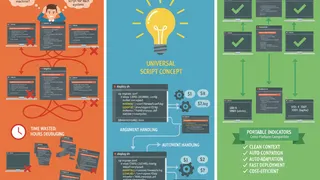
Essential Bash Variables for Every Script
Master the most useful Bash special parameters and environment variables. Learn how to use $0, $?, $@, $UID, $EUID, and XDG variables to write more reliable and portable scripts.
 Flashcards
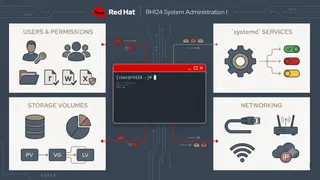
Red Hat System Administration I Flashcards (RH124)
Full course coverage for Red Hat System Administration I (RH124-9.0) using spaced repetition. Covers CLI, files, users, processes, networking, storage, DNF, systemd, logging, and shell scripting.
You might also enjoy
More posts on similar topics
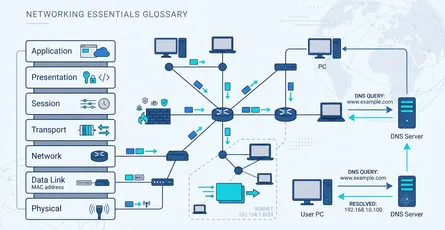
Networking Fundamentals
This glossary covers the core networking concepts every developer, DevOps engineer, and system administrator should know: how data is layered and addressed, and how it gets routed across the internet.
Containers & Kubernetes
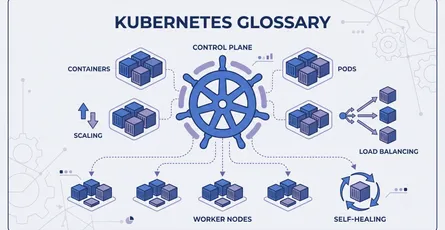
This glossary covers essential terms for working with containers and Kubernetes: building Docker images, and managing workloads, networking, storage, scaling, and security in a Kubernetes cluster.

DevOps Basics
This glossary covers foundational terms used in DevOps and cloud engineering, spanning containerization, orchestration, infrastructure as code, CI/CD pipelines, observability, and deployment strategie
3 related posts