Quick Tip
getopts is a shell builtin that parses short flags properly, including grouped ones like -vf. Here is the full pattern, including the shift everybody forgets and the local OPTIND that stops the second call from misbehaving.
The Problem
Hand-rolled flag parsing breaks on the first unusual input
Almost every internal script starts the same way. Three positional arguments in an order the author remembers and nobody else does:
./backup.sh production /tmp/out 3Then someone needs it to be quiet sometimes, so a fourth argument appears. Then an optional one, which has to go last, so now there are two orders to remember. Eventually somebody writes a while loop with a case statement in it, and that mostly works.
Mostly. Hand-rolled parsing tends to fail in the same four places. Grouped flags (-vf meaning -v -f) are read as one unknown token. -r3 written without a space is not recognised, even though every real CLI accepts it. -- as an explicit end-of-options marker does nothing. And the loop usually forgets to consume the value it just read, so the next iteration tries to parse /tmp/out as a flag.
None of these are hard to fix individually. Fixing all of them is how you end up writing a parser, which is a strange thing to do inside a backup script.
The builtin has been there the whole time
getopts is a POSIX shell builtin. It handles grouped flags, attached values, and --, and it fits in six lines. It is not the same thing as getopt, the external program, and confusing the two is the source of most of the bad advice about it.
Careful here
getopt (no s) is a separate binary, and the GNU version supports long options like --verbose. getopts (with s) is built into the shell and does not. They take different arguments, behave differently on unusual input, and the external one is not portable. Everything below is about getopts, the builtin.
The Solution
One loop, one cursor, one shift
Here is the mental model that makes getopts click. It is not a parser you call once and receive a parsed structure from. It is a cursor. Each call advances it by one option and writes what it found into two variables. You call it in a loop until it says there is nothing left.
Three variables do all the work. OPTIND is the index of the next argument to look at, and it starts at 1. OPTARG holds the value of an option that takes one. The variable you name in the loop (opt by convention) holds the option letter itself.
Reading the option string
The option string is the entire grammar, written in a few characters:
while getopts ":vr:o:" opt; doA letter on its own is a switch that takes no value. A letter followed by a colon requires a value, which arrives in OPTARG. A colon at the very front is separate from both: it turns on silent error reporting, so the shell stops printing its own messages to stderr and hands the errors to you instead.
That leading colon is worth keeping. Without it you get the shell’s error text and no control over it. With it, an unknown flag arrives as opt set to ?, and a missing value arrives as opt set to :, in both cases with the offending letter in OPTARG. That is enough to print a usage message that names the actual problem.
Script Implementation
The complete pattern
#!/usr/bin/env bashset -euo pipefail
readonly SCRIPT_NAME="${0##*/}"
usage() { cat <<EOFUsage: ${SCRIPT_NAME} [-v] [-r retries] -o outdir database...
-o outdir where to write the dumps (required) -r retries how many times to retry a failed dump (default 3) -v verbose output, repeatable for more -h this messageEOF}
# Defaults first. Every option gets one, so the rest of the# script never has to ask whether a variable is set.verbose=0retries=3outdir=""
while getopts ":vr:o:h" opt; do case "${opt}" in v) verbose=$((verbose + 1)) ;; r) retries="${OPTARG}" ;; o) outdir="${OPTARG}" ;; h) usage exit 0 ;; :) echo "${SCRIPT_NAME}: option -${OPTARG} requires a value" >&2 usage >&2 exit 2 ;; \?) echo "${SCRIPT_NAME}: unknown option -${OPTARG}" >&2 usage >&2 exit 2 ;; esacdone
# Discard every option and every option value, leaving the# positional arguments at $1 onward.shift $((OPTIND - 1))The \? needs the backslash. Inside a case pattern a bare ? matches any single character, which would swallow every option letter and make the whole case useless. It is a quiet failure, because the script still runs, it just treats -v as unknown.
What the loop does not check
getopts verifies that an option which requires a value received one. It does not verify that the option was supplied at all, and it does not care what the value looks like. Both of those checks go after the loop:
if [[ -z "${outdir}" ]]; then  echo "${SCRIPT_NAME}: -o is required" >&2  usage >&2  exit 2fi
if ! [[ "${retries}" =~ ^[0-9]+$ ]]; then  echo "${SCRIPT_NAME}: -r must be a whole number, got '${retries}'" >&2  exit 2fi
if [[ $# -eq 0 ]]; then  echo "${SCRIPT_NAME}: name at least one database" >&2  usage >&2  exit 2fi
[[ ${verbose} -gt 0 ]] && echo "backing up $# database(s) to ${outdir}"
for db in "$@"; do  echo "dumping ${db} (up to ${retries} attempts)"done
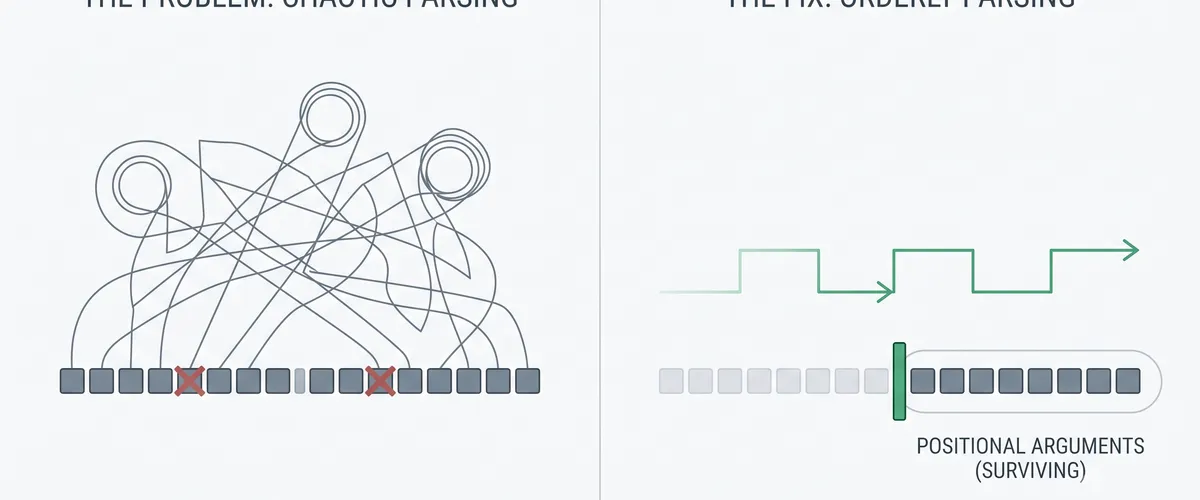
Note that $@ here holds only the databases. That is the shift doing its job. Without it, $1 would still be -v and this loop would try to dump a database called -v.
Parsing inside a function
This is the one that bites hardest, because the script works perfectly the first time and fails the second:
parse_and_run() {  local OPTIND=1        # without this line, the second call starts  local verbose=0       # wherever the first call stopped  local target=""
  while getopts ":vt:" opt; do    case "${opt}" in      v) verbose=1 ;;      t) target="${OPTARG}" ;;      \?) return 2 ;;    esac  done  shift $((OPTIND - 1))
  echo "target=${target} verbose=${verbose} rest=$*"}
parse_and_run -t alpha oneparse_and_run -t beta two    # without local OPTIND: target is empty
OPTIND is a shell variable like any other, and it lives in the global scope. Nothing resets it between calls. After the first call it is sitting at 3, so the second call starts reading at the third argument, finds nothing that looks like an option, and exits the loop immediately with everything unset.
Note
local OPTIND=1 is one line and it prevents an entire class of bug that only appears on the second invocation, which is exactly the kind of bug that survives testing. Put it at the top of any function that runs a getopts loop, whether or not you think the function will be called twice.
If you really need long options
You cannot get --verbose out of getopts. What you can do is translate long flags into short ones before the loop, which keeps the parsing itself in one place:
# Rewrite --long forms into their short equivalents, then let# getopts handle everything.args=()for arg in "$@"; do case "${arg}" in --verbose) args+=(-v) ;; --retries) args+=(-r) ;; --outdir) args+=(-o) ;; --help) args+=(-h) ;; --*) echo "${SCRIPT_NAME}: unknown option ${arg}" >&2 exit 2 ;; *) args+=("${arg}") ;; esacdoneset -- "${args[@]}"This handles --outdir /tmp but not --outdir=/tmp. Supporting the equals form means splitting on the first = and pushing two elements, which is another three lines. At that point it is worth asking whether the script needs long options, or whether you have started writing getopt by hand.
Usage and Benefits
What the builtin handles that hand-rolled loops do not
All of these work with the six-line loop above, with no extra code:
./backup.sh -v -r 3 -o /tmp/out db1 # separated./backup.sh -vr3 -o/tmp/out db1 # grouped and attached./backup.sh -o /tmp/out -v -v db1 # repeated, verbose becomes 2./backup.sh -o /tmp/out -- -weird-name # -- ends the options./backup.sh -o /tmp/out db1 db2 db3 # any number of positionalsThe -- case matters more than it looks. Without it there is no way to pass an argument that starts with a dash, and file names starting with a dash exist more often than anyone would like.
Verify it actually works
The fastest check is to print what the script parsed and confirm the positional arguments survived:
# Should print: outdir=/tmp/out retries=5 verbose=2 rest=db1 db2./backup.sh -vv -r5 -o /tmp/out db1 db2
# Should exit 2 with "option -o requires a value"./backup.sh -o
# Should exit 2 with "unknown option -z"./backup.sh -z -o /tmp/out db1
If the third one prints the shell’s own error message instead of yours, the leading colon is missing from the option string.
Tip
Run shellcheck over the finished script. It catches the missing backslash on \?, unquoted ${OPTARG} expansions, and the missing shift, all of which are silent at runtime.
Community Discussion
How do you handle this?
Most teams end up in one of three places: positional arguments and a comment explaining the order, a hand-rolled case loop, or getopts. The first two are fine for a script one person runs, and they stop being fine the moment the script goes into CI and somebody else has to read the invocation.
The line I use is simple. If the script takes more than two inputs, or if any input is optional, it gets getopts and a usage function. Below that, positional arguments are honest and short.
Alternative approaches
For anything genuinely complex, the shell is the wrong tool and Python’s argparse is right there. Subcommands, mutually exclusive flags, generated help, and type coercion are all free in argparse and all hand-written in Bash.
There is also a middle path some teams use: keep the script in Bash but stop accepting flags entirely, and read configuration from environment variables instead. OUTDIR=/tmp/out RETRIES=5 ./backup.sh db1 needs no parser at all, composes well with CI systems that already set environment variables, and gives up discoverability in exchange. For a script that only ever runs in a pipeline, that trade is often the right one.