OpenSSL
A practical OpenSSL reference for TLS and certificate work. Generating keys and CSRs, self-signed certs, inspecting certificates, verifying chains, testing live handshakes with s_client, converting between PEM, DER, PKCS#12 and JKS, and checking that a key matches its certificate.
Most OpenSSL use falls into two very different jobs. One is creating things: keys, CSRs, an internal CA. The other is answering “why does this TLS connection not work”, which is where the tool earns its reputation for being unfriendly, because the useful invocations are long and the error messages point at the wrong layer.
The single most common failure is worth internalising before the reference below, because it explains a symptom that otherwise makes no sense: the certificate works in your browser and fails in curl.
Two details from that diagram cause most wasted time. Hostname matching uses the Subject Alternative Name, not the Common Name, so a certificate with a perfect CN and no SAN simply fails. And s_client without -servername sends no SNI, so the server hands back its default certificate and you end up debugging a mismatch you created yourself.
On AWS, where the certificate lives changes what OpenSSL is even for.
The reference below is grouped the way the work actually splits: keys, then CSRs and certificates, then inspecting, then the verification and live-handshake commands you reach for when something is broken.
No commands found
Try adjusting your search term
Keys
Generating and inspecting private keys.
Generating private keys
RSA for compatibility, EC for anything new.
Modern key generation
Prefer EC (P-256) unless you have a specific compatibility reason. It gives equivalent security to RSA 3072 with far less CPU per handshake.
# EC P-256: smaller, faster, and fine everywhere in 2026openssl ecparam -name prime256v1 -genkey -noout -out key.pem
# RSA 2048, the safe default when something old is involvedopenssl genrsa -out key.pem 2048
# RSA 4096 if a policy demands it (slower handshakes)openssl genrsa -out key.pem 4096
# genpkey is the modern front end and works for bothopenssl genpkey -algorithm RSA -pkeyopt rsa_keygen_bits:2048 -out key.pemopenssl genpkey -algorithm EC -pkeyopt ec_paramgen_curve:P-256 -out key.pem- Never commit a private key. `chmod 600` it and treat a leak as a full rotation.
Encrypted keys, and removing the passphrase
An encrypted key cannot be read by a service that starts unattended, which is why production keys are usually unencrypted on disk and protected by file permissions and a secret manager instead.
# Generate with a passphraseopenssl genpkey -algorithm RSA -aes-256-cbc -out key.enc.pem
# Strip the passphrase (nginx and friends cannot prompt at boot)openssl rsa -in key.enc.pem -out key.pem
# Add one to an existing keyopenssl rsa -in key.pem -aes-256-cbc -out key.enc.pem
Inspecting a key
Reading the bit length confirms you generated what you meant to. It is a common surprise to find a 1024-bit key inherited from an old runbook.
openssl pkey -in key.pem -noout -text # any key typeopenssl rsa -in key.pem -noout -text # RSA specificallyopenssl pkey -in key.pem -pubout # derive the public keyopenssl pkey -in key.pem -noout -text | head -3Private-Key: (2048 bit, 2 primes)modulus: 00:c4:1f:9a:...CSRs and Certificates
Requesting certificates, and creating your own for internal use.
Certificate signing requests
What you send to a CA, and how to get the SAN right.
Key and CSR in one command, with SANs
`-nodes` means no passphrase on the key. `-addext subjectAltName` is the part that matters: without a SAN the certificate is rejected by every modern client regardless of the CN.
openssl req -new -newkey rsa:2048 -nodes \ -keyout key.pem -out request.csr \ -subj "/C=JO/ST=Amman/L=Amman/O=Example Ltd/CN=example.com" \ -addext "subjectAltName=DNS:example.com,DNS:www.example.com"- CN is legacy. Every hostname you need must appear in the SAN, including the bare domain.
A config file, for anything you will regenerate
Put the config in version control. Regenerating a CSR from a remembered command line is where SANs get dropped.
cat > csr.cnf <<'CNF'[req]default_bits       = 2048prompt             = nodistinguished_name = dnreq_extensions     = ext
[dn]C  = JOO  = Example LtdCN = example.com
[ext]subjectAltName = @alt
[alt]DNS.1 = example.comDNS.2 = www.example.comDNS.3 = api.example.comCNF
openssl req -new -config csr.cnf -newkey rsa:2048 -nodes \  -keyout key.pem -out request.csr
Verify a CSR before sending it
Always confirm the SAN is present before paying a CA. Finding out afterwards costs a reissue.
openssl req -in request.csr -noout -text -verifyopenssl req -in request.csr -noout -subjectopenssl req -in request.csr -noout -text | grep -A2 "Alternative Name"X509v3 Subject Alternative Name: DNS:example.com, DNS:www.example.comSelf-signed and internal CAs
For local development and internal services.
A self-signed certificate in one line
Fine for local development. Clients will not trust it unless you add it to their trust store, which is the point of the next example.
openssl req -x509 -newkey rsa:2048 -nodes -days 365 \ -keyout key.pem -out cert.pem \ -subj "/CN=localhost" \ -addext "subjectAltName=DNS:localhost,IP:127.0.0.1"A small internal CA, then a cert signed by it
`openssl x509 -req` does NOT copy extensions from the CSR. Without `-extfile` the signed certificate has no SAN and will be rejected, even though the CSR had one.
# 1. the CA (keep ca.key somewhere safe)openssl req -x509 -newkey rsa:4096 -nodes -days 3650 \  -keyout ca.key -out ca.crt -subj "/CN=Example Internal CA"
# 2. a key + CSR for the serviceopenssl req -new -newkey rsa:2048 -nodes \  -keyout svc.key -out svc.csr -subj "/CN=svc.internal" \  -addext "subjectAltName=DNS:svc.internal"
# 3. sign it, copying the SAN across (this is the step people miss)openssl x509 -req -in svc.csr -CA ca.crt -CAkey ca.key \ -CAcreateserial -days 365 -out svc.crt \ -extfile <(printf "subjectAltName=DNS:svc.internal")- Distribute `ca.crt` to clients; never distribute `ca.key`.
Inspecting Certificates
Reading what a certificate actually says.
Reading a certificate
Dates, names, issuer, extensions.
The fields you actually check
`-noout` suppresses the re-printed PEM, which is what makes these usable in scripts.
openssl x509 -in cert.pem -noout -text # everythingopenssl x509 -in cert.pem -noout -subject -issuer # who, signed by whomopenssl x509 -in cert.pem -noout -dates # validity windowopenssl x509 -in cert.pem -noout -ext subjectAltNameopenssl x509 -in cert.pem -noout -fingerprint -sha256openssl x509 -in cert.pem -noout -serialopenssl x509 -in cert.pem -noout -dates -subjectnotBefore=Sep 1 00:00:00 2026 GMTnotAfter=Nov 30 23:59:59 2026 GMTsubject=CN = example.comIs it expiring soon?
`-checkend` is the whole expiry-monitoring problem solved in one flag. Wire it into a cron check and stop finding out from customers.
# exit 0 if the cert is still valid in 30 days, 1 if notopenssl x509 -in cert.pem -noout -checkend $((30*86400))
# readable form for a monitoring scriptopenssl x509 -in cert.pem -noout -enddate | cut -d= -f2- Check the whole chain, not just the leaf. An expired intermediate breaks the site just as thoroughly.
Does this key match this certificate?
Two identical hashes means the pair matches. This is the first thing to check when a server refuses to start with a key-mismatch error.
# RSA: the moduli must be identicalopenssl x509 -noout -modulus -in cert.pem | openssl sha256openssl rsa  -noout -modulus -in key.pem  | openssl sha256
# EC keys: compare the public keys insteadopenssl x509 -in cert.pem -noout -pubkey | openssl sha256openssl pkey -in key.pem -pubout          | openssl sha256
Verifying and Debugging
Chains, live handshakes, and why a client disagrees with your browser.
Chain verification
The missing-intermediate problem, and how to prove it.
Verify a chain offline
`-untrusted` is confusingly named: it means "here are intermediate certificates to build the path with", not "do not trust these".
# against the system trust storeopenssl verify cert.pem
# supplying the intermediate the server should be sendingopenssl verify -untrusted intermediate.pem cert.pem
# against a private CAopenssl verify -CAfile ca.crt svc.crtopenssl verify -untrusted intermediate.pem cert.pemcert.pem: OK- "unable to get local issuer certificate" almost always means a missing intermediate, not an untrusted root.
What is the server actually serving?
Two or three certificates is normal (leaf plus intermediates). One means the server is not sending its intermediate, which works in browsers and fails in curl, Java and Alpine.
# -servername sends SNI. Without it you may get the wrong cert entirely.openssl s_client -connect example.com:443 -servername example.com
# count the certificates in the chain: one leaf only is a bugopenssl s_client -connect example.com:443 -servername example.com \  -showcerts </dev/null 2>/dev/null | grep -c "BEGIN CERTIFICATE"
# verify against a specific CA bundleopenssl s_client -connect example.com:443 -servername example.com \ -CAfile /etc/ssl/certs/ca-certificates.crtopenssl s_client -connect example.com:443 -servername example.com -showcerts </dev/null 2>/dev/null | grep -c "BEGIN CERTIFICATE"2- Always pass `-servername`. Omitting SNI is the most common self-inflicted TLS debugging wound.
- `</dev/null` stops s_client hanging waiting for input.
Protocol and cipher checks
A handshake failure on `-tls1_1` is the result you want: it proves the old protocol is disabled rather than merely unpreferred.
# is TLS 1.2 still enabled? is 1.3 available?openssl s_client -connect host:443 -tls1_2 </dev/null 2>&1 | grep -E "Protocol|Cipher"openssl s_client -connect host:443 -tls1_3 </dev/null 2>&1 | grep -E "Protocol|Cipher"
# confirm an old protocol is actually refusedopenssl s_client -connect host:443 -tls1_1 </dev/null 2>&1 | tail -3
# STARTTLS for mail, and other protocolsopenssl s_client -starttls smtp -connect mail:587openssl s_client -starttls postgres -connect db:5432
Converting Formats
PEM, DER, PKCS#12 and Java keystores.
Format conversions
The same certificate, different envelopes.
PEM, DER, and PKCS#12
PEM is text and safe to paste; DER is binary and used by Java and Windows tooling. PKCS#12 carries the key and the chain together in one password-protected file.
# PEM (base64, "-----BEGIN") <-> DER (binary)openssl x509 -in cert.pem -outform der -out cert.deropenssl x509 -in cert.der -inform der -out cert.pem
# bundle cert + key + chain into one .p12 (Windows, Java, browsers)openssl pkcs12 -export -out bundle.p12 \  -inkey key.pem -in cert.pem -certfile intermediate.pem \  -name "example.com"
# and back out againopenssl pkcs12 -in bundle.p12 -nokeys -out cert.pemopenssl pkcs12 -in bundle.p12 -nocerts -nodes -out key.pem- Check which you have with `file cert.crt`, or just look for `-----BEGIN`.
Java keystores
OpenSSL cannot write JKS directly. Go through PKCS#12; `keytool` handles the last step.
# the supported route: build a PKCS#12, then convertopenssl pkcs12 -export -out bundle.p12 -inkey key.pem -in cert.pemkeytool -importkeystore -srckeystore bundle.p12 -srcstoretype PKCS12 \        -destkeystore keystore.jks -deststoretype JKS
# inspect what a keystore holdskeytool -list -v -keystore keystore.jks
Everyday Utilities
The parts of OpenSSL that have nothing to do with certificates.
Hashes, random, and base64
Handy when you have OpenSSL and not much else.
Random values and digests
`openssl rand -hex 32` is a reliable way to generate a secret on a box with no other tooling.
openssl rand -hex 32 # 32 random bytes as hexopenssl rand -base64 24 # a decent passwordopenssl dgst -sha256 file.tar.gz # checksumopenssl base64 -in f -out f.b64 # encodeopenssl base64 -d -in f.b64 # decode- For password hashing use a real KDF (argon2, bcrypt, scrypt), not `dgst`.
Quick symmetric encryption
Fine for moving a file past an untrusted channel. Always include `-pbkdf2` and `-salt`; the old defaults were weak.
openssl enc -aes-256-cbc -pbkdf2 -salt -in f -out f.encopenssl enc -d -aes-256-cbc -pbkdf2 -in f.enc -out fWas this useful?
Continue on this topic
The same subject, covered a different way from the cheatsheet above.
 Article
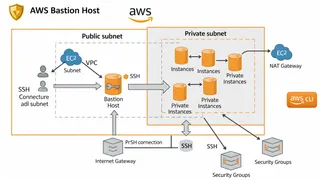
How To Setup Bastion Host on AWS using AWS CLI
In this post, we will learn the best practices of setting up a Bastion Host on AWS using the AWS CLI for secure and remote access to EC2 instances within a Virtual Private Cloud (VPC). We will guide you through creating a VPC, subnets, internet gateway, and configuring the Bastion Host with the appropriate permissions. This post is intended for those who are familiar with AWS and have some basic knowledge of networking and SSH.
 Case study
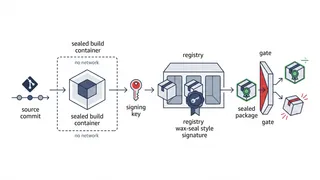
Hardening a CI/CD Supply Chain to SLSA Level 3
How we made a build pipeline tamper-evident end to end: hermetic builds, KMS-signed provenance, and an admission gate that refuses anything it cannot verify.
 Dev tip
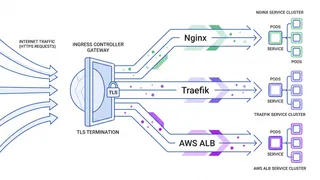
Kubernetes Ingress Controllers Explained: Nginx, Traefik, and AWS ALB Compared
A practical comparison of the most widely used Kubernetes Ingress controllers. You will learn how Nginx, Traefik, and the AWS Load Balancer Controller handle routing, TLS, and more, plus how to pick the right one for your setup.
 Quiz
QuizAPI Security & Authentication: Protecting Your APIs
Master API security fundamentals: authentication, authorization, OAuth2, JWT, API keys, HTTPS, rate limiting, CORS, and common vulnerabilities. Secure your APIs against attacks.
You might also enjoy
More posts on similar topics
Linux Networking
- Mohammad Abu Mattar
- Linux
- Networking
- DevOps
- CLI
- SysAdmin
Every Linux box speaks the network through a small set of tools, and knowing them turns "the network is broken" into a specific, fixable answer. This cheatsheet covers the modern stack: ip for inter
Netcat
- Mohammad Abu Mattar
- Terminal
- Networking
- Tools
- System Administration
- Port Scanning
This netcat cheatsheet covers TCP/UDP connections, file transfers, port scanning, banner grabbing, and advanced network operations.
Netstat
- Mohammad Abu Mattar
- Terminal
- System Administration
- Linux
- Networking
- Tools
This netstat cheatsheet covers six categories, with worked examples and troubleshooting steps in each.
Linux Processes
- Mohammad Abu Mattar
- Operating System
- Linux
- System Administration
Most of what you need day to day is inspecting what is running, sending it the right signal, and reading why it stopped. The reference below covers those in order, but two ideas are worth internalisin
TypeScript
- Mohammad Abu Mattar
- Programming Language
- TypeScript
- Type Safety
A fast reference for the TypeScript you write every day: primitives and unions, interfaces versus type aliases, generics and constraints, the built-in utility types (Partial, Pick, Omit, Record, Retur
Python Virtual Environments Cheatsheet
- Mohammad Abu Mattar
- Python
- Development Tools
- Dependency Management
A fast reference for keeping Python projects isolated and reproducible. It covers creating and activating environments with venv, installing packages with pip, locking dependencies with requirements f
6 related posts