AWS CLI
An expert reference for the AWS CLI covering configuration precedence, EC2 lifecycle control, recursive S3 operations, JMESPath querying, output formatting, and secure SSM sessions.
The AWS Command Line Interface (CLI) lets you orchestrate infrastructure, move cloud data, and configure security entirely from the terminal. This reference covers configuring identity profiles, managing EC2 instances, synchronizing S3 buckets, creating IAM roles, querying nested JSON with JMESPath, formatting output, and securing access with Systems Manager.
Later sections add pagination and waiters, STS cross-account access, CloudWatch Logs, Lambda, Secrets Manager and Parameter Store, and ECR with ECS deployments.
No commands found
Try adjusting your search term
Configuration & Profiles
Set up credentials, manage named profiles, and understand how the CLI resolves settings so automation runs against the account you expect.
Initial Setup & Profiles
Configuring the CLI sets the default security context and region for every API call, resolved through a strict precedence hierarchy.
Interactive configuration of the default profile
Prompts for standard access credentials and defaults, then persists them to the ~/.aws directory.
# Prompt for keys, region, and output format, then save them locallyaws configureAWS Access Key ID [None]: AKIAIOSFODNN7EXAMPLEAWS Secret Access Key [None]: wJalrXUtnFEMI/K7MDENG/bPxRfiCYEXAMPLEKEYDefault region name [None]: us-east-1Default output format [None]: json- Writes two files: ~/.aws/credentials (access keys) and ~/.aws/config (region and output format) on Unix-like systems.
- Commands run without a profile fall back to this default configuration block.
Configuring a named profile for isolated environments
Establishes a separate credential set tied to a profile name, which makes safe multi-account work possible.
# Create an independent credential set under a profile nameaws configure --profile production-adminAWS Access Key ID [None]: AKIAI44QH8DHBEXAMPLEAWS Secret Access Key [None]: je7MtGbClwBF/2Zp9Utk/h3yCoEXAMPLEKEYDefault region name [None]: us-west-2Default output format [None]: yaml- Append --profile production-admin to a command to use this credential block explicitly.
- Or switch the active shell context with export AWS_PROFILE=production-admin.
Verify the active configuration and its sources
Exposes the active configuration values and the origin type that won the precedence evaluation.
# Show current values and where each one came fromaws configure listName Value Type Location---- ----- ---- --------profile None Noneaccess_key ****************7XX shared-credentials-filesecret_key ****************KEY shared-credentials-fileregion us-east-1 config-file ~/.aws/config- Use this to audit which credentials will authorize a command before running destructive changes.
System Environment Variables
Inject authentication and default behavior at runtime without writing config files to disk, which suits stateless containers and pipelines.
Injecting credentials via shell session variables
Assigns security and formatting variables to the environment scope, overriding ~/.aws/credentials for the life of the terminal.
# Set credentials and defaults for the current terminal sessionexport AWS_ACCESS_KEY_ID="AKIAIOSFODNN7EXAMPLE"export AWS_SECRET_ACCESS_KEY="wJalrXUtnFEMI/K7MDENG/bPxRfiCYEXAMPLEKEY"export AWS_DEFAULT_REGION="us-east-1"export AWS_DEFAULT_OUTPUT="table"- Run unset AWS_ACCESS_KEY_ID AWS_SECRET_ACCESS_KEY AWS_DEFAULT_REGION AWS_DEFAULT_OUTPUT to revoke them and fall back to the config files.
EC2 Instance Control & Filtering
Manage compute lifecycle safely and filter metadata on the server side to cut bandwidth and avoid client-side timeouts.
Lifecycle Management & Dry-Runs
Move instances between running, stopped, and terminated states, with dry-run checks so bad permissions or parameters fail before they cause downtime.
Validate authorization with the dry-run flag
Asks the EC2 API to validate IAM privileges and request syntax without modifying the instance.
# Check IAM permissions and syntax without changing stateaws ec2 stop-instances --instance-ids i-0123456789abcdef0 --dry-runAn error occurred (DryRunOperation) when calling the StopInstances operation: Request would have succeeded, but DryRun flag is set.- Lets you validate automation without risking production downtime.
- A principal without the permission gets UnauthorizedOperation instead of DryRunOperation.
Start and stop instances
Sends state-change signals to transition instances into running or stopped modes.
# Start a stopped EC2 instanceaws ec2 start-instances --instance-ids i-0123456789abcdef0
# Stop a running EC2 instanceaws ec2 stop-instances --instance-ids i-0123456789abcdef0- The response shows both PreviousState and CurrentState for each instance.
Terminate an instance permanently
Sends a decommission signal that permanently shuts down and destroys the target node.
# Permanently destroy the instance (irreversible)aws ec2 terminate-instances --instance-ids i-0123456789abcdef0- Final and destructive. Attached EBS volumes with DeleteOnTermination set to true are deleted with the host.
Server-Side Metadata Filters
Push filtering to the AWS API so only matching resources come back, avoiding client-side memory bloat and pagination throttling.
Retrieve only running instances
Requests only instances matching the running state, discarding stopped, pending, and terminated nodes before the payload leaves AWS.
# Return metadata only for instances in the 'running' stateaws ec2 describe-instances --filters "Name=instance-state-name,Values=running"- This cuts the JSON payload size.
- Filters require the exact Name=attribute-name,Values=value string format.
Compound filtering with tags and VPC constraints
Chains filters; the API treats multiple filters as a logical AND, so every condition must be true.
# Both conditions must match (implicit AND)aws ec2 describe-instances \ --filters "Name=vpc-id,Values=vpc-0123456789abcdef0" "Name=tag:Environment,Values=production"- To filter on a custom tag, prefix the key with tag: (for example, tag:Environment).
S3 Storage Management
Move, sync, and audit objects with high-level commands, and understand recursion, filter order, and access control before running destructive operations.
Recursive Sync, Copy & Move Operations
cp, sync, and mv abstract multipart uploads and can traverse nested directories, with state-checking to transfer only what changed.
Upload objects with recursive directory traversal
Walks the local directory and uploads every discovered file into the target S3 prefix in parallel.
# Upload a single local fileaws s3 cp local-archive.tar.gz s3://my-assets-bucket/backups/
# Recursively upload an entire directory treeaws s3 cp ./local-dir s3://my-assets-bucket/backups/ --recursive- --recursive works the same for local-to-S3, S3-to-local, and S3-to-S3 copies.
Idempotent sync with strict deletion
Compares sizes and timestamps, transfers only deltas, and removes remote objects no longer present locally.
# Upload only changed files; delete remote files missing locallyaws s3 sync ./dist/ s3://my-static-web-bucket/ --delete- sync is content-aware and recursive by default.
- --delete is destructive. It purges orphaned objects, which suits static sites and is dangerous for shared buckets.
Move objects while stacking exclusion filters
Recursively moves files matching an extension to a new bucket, deleting them from the source on success.
# Move only .csv files, then delete them from the sourceaws s3 mv s3://my-source-bucket/logs/ s3://my-destination-bucket/archive-logs/ \ --recursive \ --exclude "*" \ --include "*.csv"- Filters evaluate left to right. To target only .csv, exclude everything first (*), then re-include *.csv.
Data Analytics, Deletion & Secure Sharing
Audit storage footprints, purge large prefixes, and share private objects with third parties without provisioning IAM users.
Recursive audit of storage consumption
Crawls the prefix tree, formats byte counts into readable units, and summarizes total storage used.
# Total object count and size under a prefix, in human unitsaws s3 ls s3://my-assets-bucket/images/ --recursive --human-readable --summarize2026-03-25 10:15:32 2.4 MiB images/logo.png2026-03-25 11:42:01 15.1 MiB images/hero.png
Total Objects: 2Total Size: 17.5 MiB- Handy for spotting storage anomalies from the terminal without touching CloudWatch.
Purge a nested prefix
Recursively deletes all objects beneath the key prefix.
# Recursively delete every object under the prefixaws s3 rm s3://my-assets-bucket/temp-logs/ --recursive- S3 folders are logical only. Deleting all keys sharing a prefix effectively removes the folder.
Mint a temporary presigned URL
Generates a signed HTTP link that lets an unauthenticated user download a restricted object until the signature expires.
# Signed download link valid for 3600 secondsaws s3 presign s3://my-assets-bucket/reports/financials.pdf --expires-in 3600https://my-assets-bucket.s3.amazonaws.com/reports/financials.pdf?AWSAccessKeyId=AKIA...&Signature=abcd...&Expires=1774431600- The default expiry is 3600 seconds (1 hour).
- An IAM user can sign up to 604800 seconds (7 days). With STS temporary credentials, it cannot exceed the role's session duration.
Identity & Access Management (IAM)
Verify the executing principal, define trust and permission policies, and provision least-privilege roles from the terminal.
Principal Auditing & Verification
Confirm which identity and account a command will run against before it executes, which matters in multi-account Organizations.
Interrogate the active STS context
Validates the authentication tokens and returns the User ID, Account ID, and identity ARN.
# The "whoami" of AWS - who am I and in which account?aws sts get-caller-identity{ "UserId": "AIDASODNN7EXAMPLE", "Account": "123456789012", "Arn": "arn:aws:iam::123456789012:user/developer-admin"}- Think of it as whoami for AWS.
List all account users
Returns a JSON array of metadata, creation dates, and ARNs for every IAM user in the account.
# Enumerate IAM users with metadata and ARNsaws iam list-users- Useful for compliance audits and spotting unauthorized "ghost" users.
Role Delegation & Trust Policies
Roles decouple permissions from static credentials. Creating one splits into a trust policy (who can assume it) and a permissions policy (what it can do).
Provision a service role from a JSON trust document
Creates a role that delegates sts:AssumeRole to the EC2 service principal, letting instances wear the role.
# 1. Save the trust policy to ec2-trust.json:# {#   "Version": "2012-10-17",#   "Statement": [#     {#       "Effect": "Allow",#       "Principal": { "Service": "ec2.amazonaws.com" },#       "Action": "sts:AssumeRole"#     }#   ]# }
# 2. Create the role from that documentaws iam create-role \ --role-name ComputeS3ReadOnly \ --assume-role-policy-document file://ec2-trust.json- --assume-role-policy-document needs the file:// prefix to read the local JSON file.
- A trust policy is a resource-based policy attached to the role itself.
Attach a managed permissions policy to a role
Attaches an AWS-managed read-only policy to the new role, defining its downstream privileges.
# Grant the role read-only S3 accessaws iam attach-role-policy \ --role-name ComputeS3ReadOnly \ --policy-arn arn:aws:iam::aws:policy/AmazonS3ReadOnlyAccess- This action completes instantly and returns no JSON body on success.
Data Querying with JMESPath
Filter and reshape JSON responses client-side with the built-in --query engine, no jq or awk required.
Projections, Filtering & Analytics
Isolate nested keys, restructure dictionaries, run logical checks, and apply math functions against arrays.
Extract a flat list of running instance IDs
Traverses the nested reservations array, filters to active nodes, and returns a flat space-delimited string of IDs.
# Filter to running nodes and return only their IDs, space-delimitedaws ec2 describe-instances \ --query "Reservations[].Instances[?State.Name=='running'].InstanceId" \ --output texti-0123456789abcdef0 i-0987654321fedcba0- The empty projection [] flattens the nested arrays.
- String comparisons must use single quotes ('running').
Project metadata into custom JSON mappings
Builds new dictionaries by mapping native AWS keys to custom aliases.
# Rename fields into a custom, readable shapeaws ec2 describe-instances \ --query "Reservations[].Instances[].{NodeID:InstanceId,ComputeType:InstanceType,Zone:Placement.AvailabilityZone}"[ { "NodeID": "i-0123456789abcdef0", "ComputeType": "t3.medium", "Zone": "us-east-1a" }]- Multi-select hashes use comma-separated NewName:OldName pairs inside curly braces {}.
Apply numerical logic and array functions
Shows numerical operators and built-in functions to filter by size and calculate lengths.
# Volumes larger than 100 GBaws ec2 describe-volumes \  --query "Volumes[?Size > \`100\`].{ID:VolumeId,Size:Size}"
# Count of running instancesaws ec2 describe-instances \ --query "length(Reservations[].Instances[?State.Name=='running'])"- Numeric literals must be wrapped in backticks (for example, `100`) so they parse as integers, not strings.
- length() works on strings, arrays, and objects.
Serialization & Output Formats
Switch the output serializer at runtime to suit humans reading diagnostics or machines consuming automated streams.
Formatting Types (table, text, json, yaml)
Render ASCII tables for reporting, strip syntax for scripting, keep JSON for payloads, or emit YAML for IaC audits.
Render metadata as an ASCII table
Interprets the projected dictionaries and aligns them into labeled columns.
# Project fields, then format as a tableaws ec2 describe-instances \ --query "Reservations[].Instances[].{ID:InstanceId,Zone:Placement.AvailabilityZone}" \ --output table------------------------------------------------| DescribeInstances |+-----------------------+----------------------+| ID | Zone |+-----------------------+----------------------+| i-0123456789abcdef0 | us-east-1a || i-0987654321fedcba0 | us-east-1a |+-----------------------+----------------------+- Table rendering needs JMESPath multi-select hashes ({Key: Value}) to build columns correctly.
Emit YAML for GitOps-friendly output
Dumps nested response parameters into legible YAML.
# Dump structured output as readable YAMLaws sts get-caller-identity --output yamlAccount: '123456789012'Arn: arn:aws:iam::123456789012:user/admin-developerUserId: AIDASODNN7EXAMPLE- Handy for capturing current system state into GitOps repositories.
Systems Manager (SSM) Security
Replace SSH and bastion hosts with SSM Session Manager, routing encrypted shells and tunnels over the AWS backbone with no inbound ports.
Interactive Shells & Secure Tunnels
The SSM agent makes outbound connections to the Systems Manager endpoint, so you never open inbound security group rules.
Start an interactive shell without SSH
Opens a secure real-time terminal directly inside the target EC2 instance.
# Open a secure terminal on the instance, no SSH key neededaws ssm start-session --target i-0123456789abcdef0Starting session with SessionId: developer-admin-0123456789abcdef0sh-4.2$- Requires the Session Manager plugin installed on your local machine.
- The instance must run the SSM Agent and have AmazonSSMManagedInstanceCore attached to its instance profile.
Open a secure local port-forwarding tunnel
Routes traffic from your local port 33060 through SSM into port 3306 on the private EC2 target.
# Forward local port 33060 to port 3306 on the private instanceaws ssm start-session \ --target i-0123456789abcdef0 \ --document-name AWS-StartPortForwardingSession \ --parameters '{"portNumber":["3306"],"localPortNumber":["33060"]}'Starting session with SessionId: local-tunnel-01234...Port 33060 opened for session id local-tunnel-01234...- Uses the AWS-StartPortForwardingSession document to build the tunnel.
- Lets a local DB client reach a private database tier with no internet exposure.
Pagination & Waiters
Control how the CLI fetches multi-page results, block until a resource reaches a state, and reuse JSON input skeletons.
Controlling Pagination
Tune per-call size and total items, or disable auto-pagination entirely.
Page size, item cap, and resuming
--page-size sets the per-request round-trip size; --max-items caps total output and prints a NextToken if more remains.
aws ec2 describe-instances --page-size 20 # 20 items per API callaws iam list-users --max-items 50 # cap total returned at 50aws iam list-users --max-items 50 --starting-token <token> # resume- --page-size and --max-items are independent. One controls API load, the other how much you get back.
Waiters & JSON Skeletons
Block until a state is reached, and generate or reuse structured JSON input.
Wait for a resource state
Waiters poll on the right interval and exit non-zero on failure or a terminal state like ROLLBACK.
aws ec2 wait instance-running --instance-ids i-0abc123aws cloudformation wait stack-create-complete --stack-name my-stackGenerate and reuse a JSON skeleton
Emit a template of every parameter, edit it, then run from the file instead of long inline flags.
aws ec2 run-instances --generate-cli-skeleton input > params.jsonaws ec2 run-instances --cli-input-json file://params.jsonSTS & Cross-Account Access
Assume IAM roles for temporary credentials, export them, and configure automatic role assumption with MFA.
Assuming Roles
Request temporary credentials for a cross-account role and export them to the environment.
Assume a role and export the credentials
Temporary credentials require all three variables, including AWS_SESSION_TOKEN. A meaningful --role-session-name shows up in CloudTrail.
aws sts assume-role \ --role-arn arn:aws:iam::222222222222:role/DeployRole \ --role-session-name deploy# export via --query (repeat for SecretAccessKey and SessionToken)export AWS_ACCESS_KEY_ID=$(aws sts assume-role --role-arn <arn> \ --role-session-name s --query 'Credentials.AccessKeyId' --output text)Config-File Assumption & MFA
Assume roles transparently from a named profile, including MFA-protected roles.
A role-assuming profile with MFA
The CLI assumes the role transparently and caches the MFA-backed session, so you enter the token code once, not per command.
[profile deploy]role_arn = arn:aws:iam::222222222222:role/DeployRolesource_profile = defaultmfa_serial = arn:aws:iam::111111111111:mfa/alice# then: aws s3 ls --profile deploy (prompts for the OTP once)- credential_process = /path/to/program delegates credential retrieval to an external helper that outputs JSON.
CloudWatch Logs
Stream, search, and manage retention on CloudWatch Logs groups from the terminal.
Tailing & Searching
Live-tail new events or search historical events across all streams in a group.
Tail live and search history
tail --follow streams new events; --since adds recent context; filter-log-events searches history.
aws logs tail /aws/lambda/my-func --follow --since 1h # like tail -faws logs tail /aws/lambda/my-func --follow --filter-pattern ERRORaws logs filter-log-events --log-group-name /aws/lambda/my-func \ --filter-pattern "ERROR" # search all streams- filter-log-events uses epoch MILLISECONDS for --start-time/--end-time. Generate them with date -d '1 hour ago' +%s000.
Groups & Retention
List log groups and control how long events are retained.
Set a retention policy
New groups never expire by default; put-retention-policy caps storage (valid values include 1, 7, 14, 30, 90, 365 days).
aws logs describe-log-groups --log-group-name-prefix /aws/lambda/aws logs put-retention-policy --log-group-name /aws/lambda/my-func \ --retention-in-days 30Lambda
List, inspect, invoke, and deploy Lambda functions, including the AWS CLI v2 base64 payload gotcha.
Inspecting & Invoking
Read function config and invoke functions synchronously or asynchronously.
Invoke with a raw JSON payload
In v2 --payload is base64 by default; --cli-binary-format raw-in-base64-out lets you pass literal JSON. The output file is a required positional arg.
aws lambda invoke --function-name my-func \ --cli-binary-format raw-in-base64-out \ --payload '{"name":"Bob"}' response.jsonaws lambda list-functions --query 'Functions[].FunctionName' --output text- Set it once with aws configure set cli-binary-format raw-in-base64-out to omit the flag on future invokes.
Deploying Code
Ship a new zip or image and change runtime settings without redeploying.
Deploy a new package
Use fileb:// (binary), not file:// (text), for --zip-file, because file:// UTF-8-decodes the archive and corrupts the upload.
aws lambda update-function-code --function-name my-func \ --zip-file fileb://function.zip # fileb:// reads raw binaryaws lambda update-function-configuration --function-name my-func \ --timeout 30 --memory-size 512Secrets & Parameter Store
Retrieve and write secrets from Secrets Manager and SSM Parameter Store, including encrypted SecureString handling.
Secrets Manager
Create secrets and fetch their values, optionally pulling a single JSON field.
Read and create secrets
--query SecretString --output text strips the JSON envelope; pipe to jq -r .password to pull one field.
aws secretsmanager get-secret-value --secret-id prod/db \ --query SecretString --output textaws secretsmanager create-secret --name prod/db \ --secret-string '{"user":"admin","password":"s3cr3t"}'SSM Parameter Store
Read and write plain and encrypted parameters, and load a whole path in one call.
Read and write parameters
--with-decryption returns the plaintext of a SecureString (needs kms:Decrypt); --overwrite is required to update an existing parameter.
aws ssm get-parameter --name /prod/db/password --with-decryption \ --query 'Parameter.Value' --output textaws ssm get-parameters-by-path --path /prod/db/ --recursive --with-decryptionaws ssm put-parameter --name /prod/db/password --value 's3cr3t' \ --type SecureString --overwrite- Namespace parameters as /app/env/key so get-parameters-by-path --recursive loads a whole environment in one request.
ECR & Containers
Authenticate Docker to ECR, manage repositories and images, and trigger ECS redeployments.
Auth, Repositories & Images
Log Docker into ECR and manage repositories and images.
Authenticate Docker to ECR
Pipes a 12-hour token into docker login via stdin, keeping it out of shell history and the process list.
aws ecr get-login-password --region us-east-1 | docker login \ --username AWS --password-stdin \ 111111111111.dkr.ecr.us-east-1.amazonaws.com- The old aws ecr get-login (which printed docker login -p <token>) is removed in AWS CLI v2, so get-login-password is the only supported command.
Create a repo and list images
scanOnPush=true enables vulnerability scanning on push; filtering untagged images finds cleanup candidates.
aws ecr create-repository --repository-name my-app \ --image-scanning-configuration scanOnPush=trueaws ecr list-images --repository-name my-app --filter tagStatus=UNTAGGEDECS Deployments
Force a service to redeploy or scale its running task count.
Force a redeploy or scale
--force-new-deployment rolls tasks to the newest image on a mutable tag; --desired-count scales the running task count.
aws ecs update-service --cluster prod --service web \ --force-new-deployment # pull latest :tag, same task defaws ecs update-service --cluster prod --service web --desired-count 4Was this useful?
Continue on this topic
The same subject, covered a different way from the cheatsheet above.
 Article
How To Create a AWS S3 Bucket Using AWS CLI
In this post, I will show you how to create a AWS S3 bucket using AWS CLI.
 Quiz
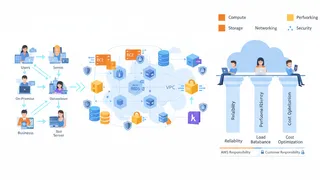
QuizAWS: Cloud Services & Architecture Fundamentals
Test your knowledge of AWS fundamentals with a quiz covering key services, architecture, security, and best practices.
 Code snippet
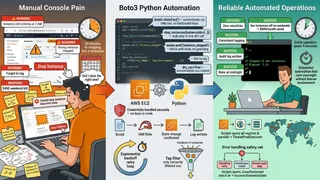
AWS EC2 Instance Management with Boto3: Start, Stop, and Query Instances
Learn how to automate AWS EC2 instance management using Python and Boto3. This guide covers authentication with IAM roles, starting and stopping instances, using waiters, filtering by tags, running bulk operations, and handling API errors. Practical code examples included for DevOps engineers and cloud developers
 Article
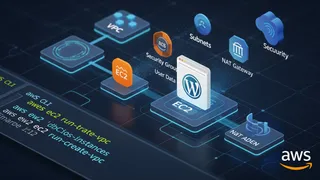
How To Create An AWS EC2 Instance Using AWS CLI
How to build a VPC, subnets, an internet gateway, a NAT gateway, a route table, and a security group with the AWS CLI, then launch an EC2 instance whose user data installs Apache, PHP, MariaDB, and WordPress.
You might also enjoy
More posts on similar topics
kubectl
- Mohammad Abu Mattar
- DevOps
- Kubernetes
- CLI
- Container Orchestration
- Cloud Native
kubectl is the command-line tool you use to talk to a Kubernetes cluster. Whatever you can do through a dashboard, you can do faster here: deploy apps, inspect resources, stream logs, run commands ins
Linux Networking
- Mohammad Abu Mattar
- Linux
- Networking
- DevOps
- CLI
- SysAdmin
Every Linux box speaks the network through a small set of tools, and knowing them turns "the network is broken" into a specific, fixable answer. This cheatsheet covers the modern stack: ip for inter
GitHub Actions
- Mohammad Abu Mattar
- CI/CD
- DevOps
- GitHub
- Automation
- YAML
GitHub Actions runs your CI/CD directly from YAML files in .github/workflows/, and most of the job is knowing which key does what. A workflow reacts to events, splits into jobs that run on runners,
Bash
- Mohammad Abu Mattar
- Scripting
- Shell
- Linux
- Unix
- Command Line
- Automation
Bash is a Unix shell and command language written by Brian Fox for the GNU Project as a free software replacement for the Bourne shell. The sections below cover Bash commands, syntax, and examples.
Cron
- Mohammad Abu Mattar
- Terminal
- System Administration
- Linux
- Scheduling
- Automation
- Tools
Quick reference Field layout Min Hour Day Month Weekday Command* /path/to/command ┬ ┬ ┬ ┬ ┬ │ │ │ │ └───── Weekday (0=Sunday,
Terraform Cheatsheet
- Mohammad Abu Mattar
- Infrastructure as Code
- DevOps
A practical cheatsheet covering the Terraform CLI commands engineers reach for constantly: init, plan, apply, import, taint, and state operations. It also covers the key HCL patterns for variables, lo
6 related posts