Why GitOps for Kubernetes?
From kubectl apply to Git as the source of truth
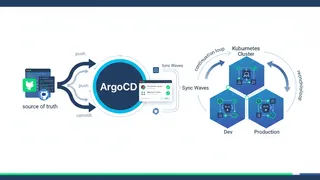
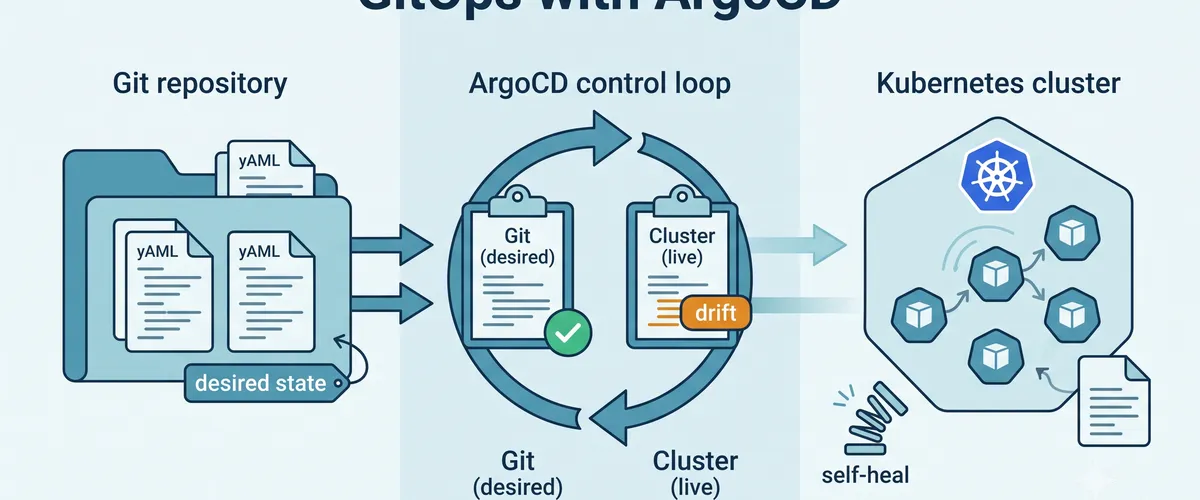
Hey, want to stop deploying to Kubernetes by hand? If your releases still come from someone running kubectl apply on their laptop, you already know the downsides. Nobody is quite sure what’s actually running, changes are hard to audit, and a rollback means remembering what the old YAML looked like. GitOps flips that around. You keep all your manifests in Git, and a controller in the cluster continuously makes the live state match what’s in the repo. Git becomes the one place that describes what should be running.
What GitOps actually means
The whole model rests on one habit. You never change the cluster directly. You change Git, and the cluster follows. That means every deploy is a commit, every rollback is a revert, and your audit trail is just the repository history. ArgoCD is one of the most popular tools that make this real for Kubernetes.
The problem with manual and push-based deploys
What’s the issue?
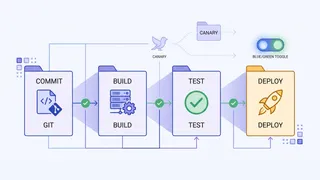
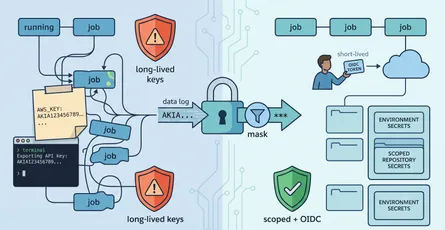
Push-based pipelines hand your CI system cluster-admin credentials and let it run kubectl apply or helm upgrade from the outside. That works until it doesn’t. The credentials live in your CI, which is a juicy target, and CI only touches the cluster when a pipeline runs. In between, nothing is watching whether the cluster still matches what you think you deployed.
Real-world consequences
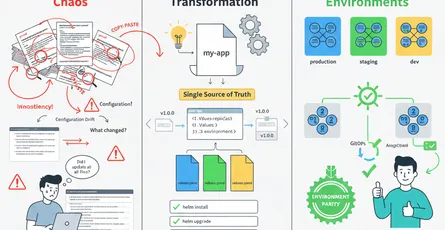
The quiet killer is drift. Someone hotfixes a Deployment live during an incident, forgets to put it in Git, and now the repo and the cluster disagree. The next pipeline either clobbers the fix or silently leaves the difference in place. Multiply that across a few engineers and three environments and nobody can answer the basic question: what is actually running right now, and why.
The ArgoCD approach
Here’s how to fix it
ArgoCD runs inside the cluster and pulls, rather than being pushed to. It watches a Git repo, compares the desired state there against the live state in the cluster, and reconciles the two. Because it lives in the cluster, it does not need to hand external systems admin credentials, and because it runs continuously, it notices drift instead of waiting for the next pipeline.
Implementing it
Install ArgoCD with Helm, then point it at a repo by creating an Application.
helm repo add argo https://argoproj.github.io/argo-helmhelm install argocd argo/argo-cd --namespace argocd --create-namespaceAn Application tells ArgoCD which repo and path to watch and where to deploy it.
apiVersion: argoproj.io/v1alpha1kind: Applicationmetadata: name: web namespace: argocdspec: project: default source: repoURL: https://github.com/your-org/deploy.git targetRevision: main path: envs/prod destination: server: https://kubernetes.default.svc namespace: web syncPolicy: automated: selfHeal: true # revert manual changes back to Git prune: true # delete resources removed from GitTools and platforms
ArgoCD is part of the Argo project alongside Argo Rollouts for progressive delivery. Flux is the other well-known GitOps controller if you prefer a more CLI-first model. Both pair naturally with Helm and Kustomize, so you keep the templating you already use.
Quick implementation steps
Quick takeaways to get GitOps running:
- Put your manifests or Helm charts in a Git repo, one path per environment.
- Install ArgoCD in the cluster with Helm.
- Create an Application pointing at the repo path.
- Turn on
automatedsync so merges deploy on their own. - Turn on
selfHealso live edits snap back to Git. - Turn on
pruneso deleting from Git deletes from the cluster.
Sync policies: manual vs automatic
Start in manual sync while you build trust. ArgoCD shows you the diff and you click sync. Once you trust it, switch on automated so a merge to main deploys itself. selfHeal is what closes the drift gap, because any change made directly to the cluster is reverted to match Git within minutes.
Multiple environments
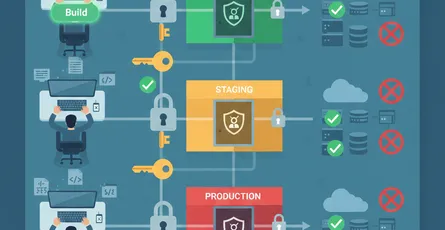
Give each environment its own path (or its own repo) and its own Application. Promotion becomes a pull request that moves a change from envs/staging to envs/prod, so the same reviewed manifests flow through each stage.
Benefits of GitOps with ArgoCD
Why it helps
You get one honest answer to “what’s running,” because the answer is always “whatever is in Git.” Rollbacks stop being scary, since reverting a commit reverts the deploy. And you shrink your attack surface, because the cluster pulls its own config instead of trusting an external pipeline with admin keys.
Confidence and recovery
The health and sync dashboard turns a fuzzy question into a clear status per app and per environment. When something drifts or degrades, you see it, and self-heal often fixes it before anyone notices.
What’s your approach?
Community discussion
What’s your take? GitOps is a real shift in how a team thinks about deploys, and the move from push to pull takes some getting used to. If you have made the switch, what finally sold you on it?
Share your experience
If you are running ArgoCD or Flux in production, I would love to hear how you handle promotion between environments and whether you let self-heal run everywhere or hold it back for some workloads.