Databases & SQL
Foundational relational database and SQL terms: tables and keys, the join types, indexes and query plans, transactions and isolation levels, normalization, and the managed-service vocabulary you meet in the cloud.
Most confusion about SQL is vocabulary rather than syntax. People know how to write a join and still get caught by a LEFT JOIN that quietly behaves like an INNER JOIN, because nobody explained that a WHERE clause on the right-hand table filters away the very NULL rows the LEFT JOIN was there to keep.
The terms below cover structure and keys, the join types, indexes and query plans, transactions and isolation, and the operational vocabulary you meet once a database leaves your laptop.
A handful of these terms only start to matter once someone else runs the database for you. Managed services rename things, and two of the renames cause real outages: a Multi-AZ standby is not a read replica, and a replica that lags is a property to design around rather than a bug to fix.
If you only take two things from the list, take these. An index is a trade, not a free improvement, so measure with EXPLAIN ANALYZE before adding one and check afterwards that the planner is actually using it. And a transaction’s isolation level is a real decision with a default that differs between PostgreSQL and MySQL, which is why the same code can be correct on one and subtly wrong on the other.
No terms found
Try adjusting your search query
Design
5
Normalization
Organising data so each fact is stored once, which removes update anomalies. First normal form means one value per column. Second means every non-key column depends on the whole key. Third means no non-key column depends on another non-key column.
Example
Denormalization
Deliberately duplicating data to avoid joins or recomputation at read time. Valid as an optimisation after measuring a real problem, and it makes the duplicate a cache that needs an invalidation strategy.
Example
order_count on customers is fast to read and wrong the moment an order is deleted without updating it.View vs materialized view
A view is a stored query that runs every time you select from it, so it is always current and costs the same as the query. A materialized view stores actual result rows, so reads are fast and the data is stale until refreshed.
Example
Common table expression (CTE)
A named subquery declared with WITH, used to break a complex query into readable steps. RECURSIVE variants walk hierarchies such as trees and graphs.
Example
Code Snippet
WITH RECURSIVE subordinates AS ( SELECT id, name, manager_id FROM employees WHERE id = 1 UNION ALL SELECT e.id, e.name, e.manager_id FROM employees e JOIN subordinates s ON e.manager_id = s.id)SELECT * FROM subordinates;Window function
A function computed across a set of rows related to the current row, without collapsing them into one row as GROUP BY does. Useful for running totals, rankings, and comparisons to the previous row.
Example
Code Snippet
SELECT customer_id, total, sum(total) OVER (PARTITION BY customer_id ORDER BY created_at) AS running_total, lag(total) OVER (PARTITION BY customer_id ORDER BY created_at) AS previous_totalFROM orders;Joins
5
INNER JOIN
Returns only rows with a match on both sides. Unmatched rows from either table disappear from the result.
Example
customers INNER JOIN orders.LEFT JOIN (LEFT OUTER JOIN)
Returns every row from the left table, with NULLs where the right table has no match. The standard way to ask "all X, plus their Y if any."
Example
Code Snippet
-- Correct: condition on the right table goes in ONSELECT c.name, count(o.id) AS paid_ordersFROM customers cLEFT JOIN orders o ON o.customer_id = c.id AND o.status = 'paid'GROUP BY c.name;
-- Wrong: this silently becomes an INNER JOIN, because-- NULL = 'paid' is never true, so unmatched rows are filtered out.-- WHERE o.status = 'paid'RIGHT JOIN / FULL OUTER JOIN
RIGHT JOIN keeps every row from the right table; FULL OUTER JOIN keeps unmatched rows from both sides. RIGHT JOIN is rare in practice because swapping the table order gives a LEFT JOIN, which most people find easier to read.
Example
CROSS JOIN (Cartesian product)
Pairs every row on the left with every row on the right, producing rows equal to the product of both counts. Occasionally intentional, for generating date series or combinations, and otherwise the result of a forgotten join condition.
Example
Self join
Joining a table to itself using different aliases, to relate rows within one table.
Example
employees table.Code Snippet
SELECT e.name AS employee, m.name AS managerFROM employees eLEFT JOIN employees m ON e.manager_id = m.id;Keys
5
Primary key
The column or set of columns that uniquely identifies each row. It is implicitly NOT NULL and unique, and a table can have at most one.
Example
id BIGSERIAL PRIMARY KEY, or a composite PRIMARY KEY (order_id, product_id) on a junction table.Code Snippet
CREATE TABLE customers ( id BIGSERIAL PRIMARY KEY, email TEXT NOT NULL UNIQUE, created_at TIMESTAMPTZ NOT NULL DEFAULT now());Surrogate key vs natural key
A surrogate key is a meaningless generated identifier such as an integer or UUID. A natural key is real-world data used as the identifier, such as an email or ISBN. Natural keys tend to become a problem because real-world values change, and a primary key change cascades to every referencing row.
Example
email as a primary key works until someone changes their email address.Foreign key
A column that references the primary key of another table, and a constraint the database enforces. It prevents rows pointing at records that do not exist, and defines what happens when the referenced row is deleted.
Example
Code Snippet
CREATE TABLE orders ( id BIGSERIAL PRIMARY KEY, customer_id BIGINT NOT NULL REFERENCES customers(id) ON DELETE RESTRICT, total NUMERIC(10,2) NOT NULL CHECK (total >= 0));Referential integrity
The guarantee that every foreign key value points at a row that exists. Enforced by the database, it makes a whole class of orphaned-data bug impossible rather than merely unlikely.
Example
Composite key
A primary key made of more than one column, where the combination is unique even though each column individually is not.
Example
order_items table keyed on (order_id, product_id), so a product appears at most once per order.Operations
5
Connection pool
A set of reused database connections. Establishing a connection is expensive, and databases have a hard connection limit, so a pool bounds concurrency and removes per-request setup cost.
Example
Replication lag
How far behind a read replica is from its primary, because replication is asynchronous. A read from a replica may not include a write that already committed on the primary.
Example
Multi-AZ standby vs read replica
A Multi-AZ standby exists for durability and automatic failover, replicates synchronously, and serves no queries. A read replica exists to scale reads, replicates asynchronously, and can return stale data. They solve different problems and are not substitutes.
Example
Sharding vs partitioning
Partitioning splits one logical table into pieces inside a single database, usually by range or list, so queries touch fewer rows and old data can be dropped cheaply. Sharding splits data across separate databases, which scales writes and makes cross-shard joins and transactions hard.
Example
events by month lets you DROP an old partition instantly instead of running a slow DELETE.OLTP vs OLAP
Online transaction processing handles many small reads and writes with low latency, which suits a row store. Online analytical processing scans large volumes to aggregate, which suits a column store. Running heavy analytics against your transactional primary is how you cause an incident.
Example
Performance
6
Index
A separate sorted structure, usually a B-tree, holding some columns plus a pointer back to the row. It makes matching rows findable without scanning the table, at the cost of slower writes and more disk, since every INSERT and UPDATE must also maintain the index.
Example
orders(customer_id) turns "all orders for this customer" from a full scan into a lookup.Code Snippet
CREATE INDEX idx_orders_customer ON orders (customer_id);
-- Composite: order matters. This serves queries filtering on-- customer_id, or on customer_id AND created_at, but NOT-- queries filtering on created_at alone.CREATE INDEX idx_orders_cust_date ON orders (customer_id, created_at DESC);Covering index
An index containing every column a query needs, so the database answers from the index alone and never touches the table. In PostgreSQL this is an index-only scan.
Example
INCLUDE (status), a query selecting only customer_id and status never visits the heap.Code Snippet
CREATE INDEX idx_orders_cover ON orders (customer_id) INCLUDE (status, total);Full table scan (sequential scan)
Reading every row to find matches. Not automatically bad: on a small table, or when a query genuinely needs most rows, it beats an index lookup because sequential reads are cheaper per row than random ones.
Example
Query plan / EXPLAIN
The database's chosen strategy for executing a query. EXPLAIN shows it, EXPLAIN ANALYZE actually runs the query and reports real timings and row counts alongside the estimates.
Example
Code Snippet
EXPLAIN (ANALYZE, BUFFERS)SELECT c.name, count(o.id)FROM customers cLEFT JOIN orders o ON o.customer_id = c.idGROUP BY c.name;
-- Read it inside out. Watch for: Seq Scan on a big table,-- rows=1 estimated vs rows=90000 actual, and Nested Loop-- over a large outer relation.Cardinality
The number of distinct values in a column. High cardinality columns such as email make selective, useful indexes; low cardinality columns such as a boolean flag usually do not, because a lookup still matches half the table.
Example
is_active rarely helps. A partial index WHERE is_active = false might, if false is rare.N+1 query problem
Running one query to fetch a list, then one more query per item in that list. Each query is fast and the total is not, and it is the single most common performance bug in ORM-backed applications.
Example
includes or Django's select_related, makes it two.SQL basics
2
SELECT
Retrieves rows. Logical evaluation order is FROM, then WHERE, then GROUP BY, then HAVING, then SELECT, then ORDER BY, then LIMIT, which explains why a SELECT alias cannot be used in WHERE but can be used in ORDER BY.
Example
SELECT total * 2 AS doubled FROM orders WHERE doubled > 10 fails; ORDER BY doubled works.WHERE vs HAVING
WHERE filters individual rows before grouping. HAVING filters groups after aggregation. Putting an aggregate in WHERE is an error, and putting a row condition in HAVING works but does more work than necessary.
Example
WHERE status = 'paid' filters rows; HAVING count(*) > 5 filters groups.Code Snippet
SELECT customer_id, count(*) AS ordersFROM ordersWHERE status = 'paid' -- rows, before groupingGROUP BY customer_idHAVING count(*) > 5; -- groups, after aggregatingSecurity
1
SQL injection
Interpolating untrusted input into SQL text so an attacker can change what the query does. The fix is parameterised queries, which send the SQL and the values separately so values are never parsed as SQL. Escaping by hand is not a fix.
Example
Code Snippet
// Vulnerable: the input becomes part of the statementdb.query(`SELECT * FROM users WHERE email = '${email}'`);
// Safe: the value is sent separately and never parsed as SQLdb.query('SELECT * FROM users WHERE email = $1', [email]);Structure
3
Table
A collection of rows sharing the same columns. The column definitions and their types are the schema; the rows are the data.
Example
customers table with columns id, email, name, and created_at.Row (record / tuple)
A single entry in a table. In relational theory rows have no inherent order, which is why a query without ORDER BY can return results in any order and is allowed to change that order between runs.
Example
Column (field / attribute)
A named, typed slot present in every row. The type is a constraint, not just documentation, and the database will refuse values that do not fit.
Example
total NUMERIC(10,2) refuses the string 'free' and, unlike a float, will not silently lose cents.Transactions
6
Transaction
A group of statements treated as a single unit. Either all of them take effect or none do. BEGIN starts one, COMMIT makes it permanent, ROLLBACK discards it.
Example
Code Snippet
BEGIN; UPDATE accounts SET balance = balance - 100 WHERE id = 1; UPDATE accounts SET balance = balance + 100 WHERE id = 2;COMMIT; -- or ROLLBACK, and neither update happenedACID
Atomicity, all or nothing. Consistency, constraints hold before and after. Isolation, concurrent transactions do not observe each other's partial work. Durability, a committed transaction survives a crash.
Example
Isolation level
How much concurrent transactions may see of each other. From weakest to strongest: READ UNCOMMITTED, READ COMMITTED, REPEATABLE READ, SERIALIZABLE. Stronger levels prevent more anomalies and increase contention and retries.
Example
Dirty read, non-repeatable read, phantom read
The three classic anomalies. A dirty read sees another transaction's uncommitted change. A non-repeatable read gets a different value when re-reading the same row. A phantom read gets different rows when re-running the same query because someone inserted or deleted matching rows.
Example
Optimistic vs pessimistic locking
Pessimistic locking takes a lock up front so nobody else can interfere, using SELECT FOR UPDATE. Optimistic locking takes no lock, and instead checks at write time that nothing changed, usually with a version column, then retries on conflict. Pessimistic suits short high-contention updates; optimistic suits low contention and long think-time.
Example
Code Snippet
-- Pessimistic: block others until commitBEGIN; SELECT balance FROM accounts WHERE id = 1 FOR UPDATE; UPDATE accounts SET balance = balance - 100 WHERE id = 1;COMMIT;
-- Optimistic: no lock, detect the collision insteadUPDATE documents SET body = $1, version = version + 1 WHERE id = $2 AND version = $3;-- 0 rows affected means someone else won. Re-read and retry.Deadlock
Two transactions each holding a lock the other needs, so neither can proceed. The database detects the cycle and aborts one with an error. The standard prevention is to acquire locks in a consistent order everywhere.
Example
Comments
Was this useful?
Continue on this topic
The same subject, covered a different way from the glossary above.
 Quiz
QuizSQL: Query Fundamentals & Database Concepts
Master the fundamentals of Relational Databases, from basic SELECT statements to complex JOIN operations and database normalization.
 Roadmap
Full-Stack Developer Beginner to Expert
A roadmap for learning full-stack development, covering frontend, backend, databases, APIs, DevOps, and deploying complete production applications.
 Flashcards
AWS Advanced Networking Specialty Flashcards (ANS-C01)
Spaced-repetition flashcards for the AWS Certified Advanced Networking - Specialty (ANS-C01) exam: VPC design, hybrid connectivity with Direct Connect and VPN, Transit Gateway routing, hybrid DNS, CDN and edge, network security, and automation.
 Dev tip
Speeding Up CI Pipelines: Caching, Parallelism, and Skipping Unnecessary Work
Practical tips for cutting CI/CD pipeline time. Covers dependency cache keys that actually hit, test sharding and job parallelism, path-based change detection to skip unchanged services, artifact reuse between jobs, and how to find your real bottleneck before optimising.
You might also enjoy
More posts on similar topics
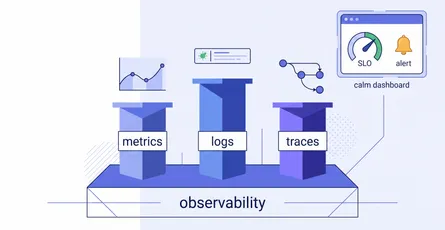
Observability & Monitoring
A quick-reference glossary for making sense of system health: the three pillars (metrics, logs, traces), the reliability vocabulary (SLI, SLO, error budget, burn rate), how good alerting works, and th
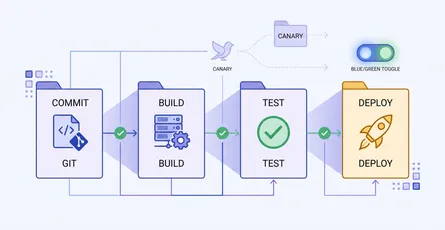
CI/CD & Automation
A quick-reference glossary of the terms you meet when automating builds, tests, and deployments: pipeline anatomy, test gates, and release strategies like canary and blue-green.
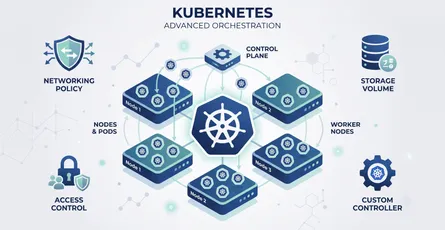
Kubernetes Advanced
This glossary covers the advanced Kubernetes terminology platform engineers rely on: scheduling, networking, storage, security, extensibility, and the workload controllers that keep applications runni
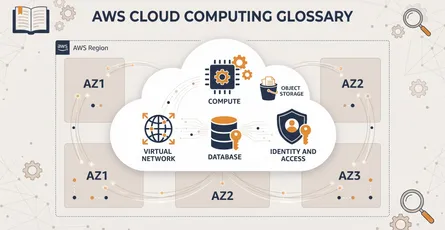
Cloud Computing on AWS
This glossary covers the essential Amazon Web Services terms every cloud engineer and architect should know: compute, storage, networking, databases, and the identity controls that keep it all secure.
4 related posts