Terraform & Infrastructure as Code
Terraform and infrastructure-as-code terminology: providers and resources, the state file and remote backends, drift and refresh, modules and for_each, the plan and apply workflow, and the concepts underneath it all.
Terraform stops being confusing once you notice it compares three things rather than two: your configuration, its state file, and the real infrastructure. Nearly every plan output that looks wrong is one specific pair of those disagreeing, and knowing which pair tells you what to do about it.
State is the part worth understanding properly, because it holds identity. It’s what knows that aws_instance.web in your code means i-0abc123 in AWS. Lose it and Terraform can’t connect your configuration to anything, so it plans to build all of it again while the real resources sit there unmanaged.
That’s also why the lock matters more than it looks like it should. Two people applying at once, both starting from the same state, means one write wins and whatever the other one created becomes an orphan: still running, still billing, invisible to Terraform forever.
The terms below are grouped the way the work splits. Concepts first, then the building blocks you write, then state, then the reuse mechanisms, then the commands.
No terms found
Try adjusting your search query
Building blocks
8
Resource
One managed infrastructure object. A resource block names a type and a local name, and together those form its address, which is how Terraform tracks it in state. The address is the identity, so renaming a resource block makes Terraform plan to destroy and recreate it.
Example
resource "aws_s3_bucket" "logs" {} has the address aws_s3_bucket.logs. Renaming logs to log_bucket destroys and recreates the bucket unless you use a moved block.Provider
A plugin that knows how to talk to one API. The AWS provider translates Terraform's create, read, update and delete operations into AWS API calls. Providers are versioned separately from Terraform and are downloaded during init.
Example
Data source
A read-only lookup of something Terraform does not manage. It gives you attributes of an existing object without taking ownership of it, so destroying your configuration never destroys what a data source read.
Example
data "aws_ami" "ubuntu" finds the current AMI ID to launch from. It queries on every plan, which is also why a data source can make plans non-deterministic.Variable
A named input to a module or root configuration, with an optional type, default and validation rule. Variables are how the same code serves dev and prod without being copied.
Example
variable "instance_count" { type = number, default = 2 }, then -var instance_count=6 or a prod.tfvars file at apply time.Output
A value a module publishes to its caller, or that the root configuration prints after apply. Outputs are the module's public interface: anything not exposed as an output is not reachable from outside.
Example
private_subnet_ids, and the calling configuration passes that into an eks module. Without the output, the caller cannot see the subnets at all.Local value
A named expression computed inside a configuration. Unlike a variable it takes no external input, so it is purely a way to name something you use more than once and keep the logic in one place.
Example
locals { name_prefix = "${var.project}-${var.env}" }, then referenced as local.name_prefix in twenty resource names.Argument versus attribute
An argument is something you set on a resource. An attribute is something you read from it, including computed values that only exist after creation. Many names are both, which is why the distinction only becomes obvious when you try to read something before it exists.
Example
cidr_block on a VPC (argument) and read id from it (attribute, computed). Referencing id before apply is what makes a value "known after apply" in the plan.Expression
Any value computation in HCL, from a literal to a reference to a conditional to a function call. Terraform's language is expression-oriented rather than procedural, so there are no statements, loops or assignments in the usual sense.
Example
var.env == "prod" ? "m5.large" : "t3.micro" is a conditional expression, and it is how you branch without an if statement.Concepts
4
Infrastructure as code (IaC)
Managing infrastructure by describing it in files that are version-controlled, reviewed and applied by a tool, rather than by clicking in a console or running ad-hoc commands. The value is not automation on its own, it is that the current intended shape of your infrastructure is a readable artifact with a history.
Example
Declarative
You describe the desired end state and the tool works out the steps. Terraform is declarative. The opposite, imperative, means you write the steps and the end state is whatever they produce.
Example
Idempotency
Running the same operation repeatedly produces the same result as running it once. In Terraform this is why apply on an unchanged configuration reports no changes rather than creating duplicates. It is a property of the whole model, not a feature you enable.
Example
terraform apply twice in a row gives "No changes. Your infrastructure matches the configuration." A shell script calling aws ec2 run-instances twice gives you two instances.Immutable infrastructure
Replacing a resource rather than modifying it in place. Instead of patching a running server, you build a new image and launch a new instance from it. Terraform supports this naturally, since many attribute changes force a replacement anyway.
Example
ami forces a new instance. Changing a tag updates in place. The plan output tells you which, with the difference between ~ and -/+.Reuse
9
Module
A directory of Terraform files used as a reusable unit, taking variables in and returning outputs. Every configuration is already a module, the root module. A child module is one you call with a module block.
Example
vpc module taking cidr and az_count, returning subnet IDs. Called three times for dev, staging and prod with different inputs.Root module
The directory you run Terraform in. It is the entry point, it owns the backend configuration and the provider configuration, and it is the only module that reads .tfvars files or environment variables.
Example
-var flags. Everything reaching a child module is passed explicitly through its module block.Registry
A catalogue of publishable modules and providers, either the public Terraform Registry or a private one. Source a module by registry address and pin its version, the same way you would a library dependency.
Example
source = "terraform-aws-modules/vpc/aws" with version = "~> 5.0". Without the version pin, a new release changes your infrastructure on the next init.count
Creating multiple instances of a resource, addressed by numeric index. The problem is that the index is positional, so removing an item renumbers everything after it and Terraform plans to destroy and recreate resources you never touched.
Example
count = 3 are [0], [1], [2]. Remove the middle one from a list and [2] becomes [1], so Terraform recreates it.for_each
Creating multiple instances addressed by a map key or set value rather than by position. Removing one entry affects only that entry. This is the reason to prefer for_each over count for anything that is a collection of distinct things.
Example
for_each = toset(["logs", "backups", "media"]) gives addresses like aws_s3_bucket.this["logs"], which are stable no matter what else changes.Dynamic block
Generating repeated nested blocks inside a resource from a collection. Needed because a nested block is not an argument, so you cannot simply assign a list to it.
Example
ingress block per port in a list. Readable up to a point; past two nested dynamic blocks a purpose-built module is usually clearer.Meta-argument
An argument Terraform itself understands on any resource, rather than one defined by the provider. The set is count, for_each, provider, depends_on, lifecycle and providers.
Example
for_each on any resource type in any provider, because the provider is not involved in interpreting it.depends_on
An explicit dependency for a relationship that exists in reality but does not appear in any expression. It is a last resort, because Terraform already infers dependencies from references, and reaching for it usually means a missing reference.
Example
lifecycle block
Per-resource overrides of Terraform's default behaviour. create_before_destroy for zero-downtime replacement, prevent_destroy as a guard, and ignore_changes for attributes something else legitimately manages.
Example
ignore_changes = [desired_count] on an ECS service whose replica count is set by autoscaling, so Terraform stops fighting the autoscaler.State
10
Configuration drift
Reality no longer matches what state records. Almost always caused by a change made outside Terraform: a console edit, another tool, or a service modifying its own resource. Terraform detects it during refresh and plans to bring reality back in line with the configuration.
Example
State file
A JSON document mapping each resource address in your configuration to the real object it manages, plus every attribute Terraform last observed. It is what lets Terraform know that aws_instance.web means i-0abc123, and losing it means Terraform can no longer connect your code to anything.
Example
Remote backend
Storage for state outside the working directory, usually an S3 bucket, plus locking. It is what makes Terraform usable by more than one person, and it also keeps state off laptops and out of git.
Example
use_lockfile = true for native locking, or Terraform Cloud. On older configurations you will see a separate dynamodb_table for the lock.State lock
A mutual exclusion held for the duration of an operation that writes state, so two people cannot apply at once. Without it, concurrent applies each write their own view of state and one of them silently loses resources.
Example
terraform force-unlock exists and should be used carefully.Refresh
Reading the current attributes of every managed resource from the provider and updating state to match, without changing anything real. Terraform does this at the start of a plan by default, which is how drift is detected.
Example
-refresh=false skips it, which speeds up a plan on a large configuration at the cost of not noticing drift. terraform plan -refresh-only shows drift alone.Orphaned resource
A real object that no state file references. It keeps existing, keeps costing money, and no Terraform run will ever touch it. Usually the result of a lost or overwritten state file, or a state rm without a follow-up.
Example
terraform import
Bringing an existing real resource under management by writing it into state. It changes only state, never reality. You still need a matching resource block in your configuration, or the next plan will propose destroying what you just imported.
Example
terraform import aws_s3_bucket.logs my-existing-bucket, or the newer declarative import block which works inside a plan and can be reviewed.terraform state rm
Removing a resource from state without destroying it. Terraform forgets the resource exists; the real object survives untouched. The counterpart to import, and the correct tool when handing a resource over to another configuration.
Example
state rm in the old one, import in the new one, and nothing is ever destroyed.moved block
A configuration block declaring that a resource used to have a different address, so a rename or a move into a module is treated as a rename rather than a destroy and create. It replaced the manual terraform state mv for most refactors.
Example
moved { from = aws_instance.web, to = module.app.aws_instance.web } lets you restructure code without touching infrastructure.Sensitive value
A value marked so Terraform redacts it from plan and apply output. Note carefully that this only affects display: the value is still stored in state in plaintext, so state itself must be treated as a secret.
Example
password marked sensitive shows as (sensitive value) in the plan, and sits readable in the state file in your S3 bucket.Workflow
11
terraform init
Preparing a working directory. Downloads providers and modules, configures the backend, and writes the dependency lock file. It touches neither state contents nor real infrastructure, and it must be rerun whenever providers or module sources change.
Example
terraform init -upgrade re-resolves provider versions within your constraints and updates the lock file. Plain init respects the existing lock.terraform plan
Refreshing state, then computing the difference between configuration and state, and printing what it would do. It is read-only with respect to your infrastructure, which makes it the right thing to run in a pull request.
Example
terraform plan -out=tfplan saves the plan so apply executes exactly that, with no re-evaluation. This is what a CI pipeline should do.terraform apply
Executing a plan. It takes the state lock, calls provider APIs in dependency order, and writes the resulting state. If it fails partway, some resources exist and state records them, so rerunning continues rather than starting over.
Example
terraform apply tfplan applies a saved plan without prompting, which is how you guarantee CI applies what was reviewed.terraform destroy
Planning and applying the removal of everything in state. It is apply with every resource marked for destruction, in reverse dependency order.
Example
terraform destroy -target=aws_instance.web destroys one resource, though targeting is a debugging tool rather than a workflow.terraform validate
Checking syntax and internal consistency without contacting any provider API or reading state. Fast enough to run on every commit, and it catches type errors, unknown attributes and undeclared variables.
Example
terraform fmt
Rewriting configuration files to canonical style. Purely cosmetic, and worth enforcing in CI with -check so formatting never appears in a diff alongside a real change.
Example
terraform fmt -recursive -check exits non-zero when something is unformatted, which is the right CI behaviour.Plan output symbols
The prefix on each line of a plan tells you the action. + create, - destroy, ~ update in place, -/+ destroy then create, +/- create then destroy (with create_before_destroy), and <= a read from a data source.
Example
-/+ next to a database is the moment to stop and read the "forces replacement" annotation before typing yes.Provisioner
A block running a script during create or destroy. Officially a last resort, because it breaks the declarative model: a failed provisioner marks the resource tainted, and Terraform has no way to know what the script did.
Example
user_data, a configuration management tool, or a pre-baked image. local-exec for a one-off notification is the least objectionable use.Workspace
Multiple named states within one backend and one configuration. Useful for short-lived parallel copies of the same thing, and a poor fit for dev versus prod, because the environments then share provider configuration and cannot diverge.
Example
terraform workspace new feature-x for a temporary stack. For real environments, separate directories with separate backends are the widely recommended pattern.Dependency lock file
.terraform.lock.hcl, recording the exact provider versions and their checksums. It belongs in version control, so every machine and every CI run resolves the same providers.
Example
Terraform Registry version constraint
The operators controlling which versions are acceptable. ~> 5.1 allows 5.1.x but not 5.2. >= 5.0, < 6.0 allows any 5.x. An unpinned dependency means an unrelated init can change your infrastructure.
Example
~> on the minor version, and pin modules exactly. A provider major version bump is a migration, not an upgrade.Comments
Was this useful?
Continue on this topic
The same subject, covered a different way from the glossary above.
 Article
Understanding Infrastructure as Code (IaC)
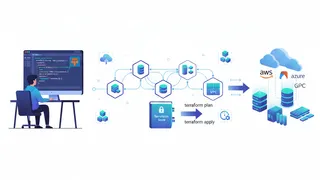
Infrastructure as Code (IaC) manages infrastructure through code instead of manual configuration. This post covers its benefits, the declarative vs. imperative approaches, and popular tools like Terraform, CloudFormation, and Ansible.
 Quiz
Terraform: Infrastructure as Code Essentials
Test your knowledge of Terraform fundamentals with this quiz covering key concepts and best practices.
- Cheatsheet
Terraform Cheatsheet
Practical Terraform cheatsheet covering the core CLI commands, state management, import, workspaces, and key HCL patterns for variables, locals, outputs, dynamic blocks, and more. Useful for daily IaC workflows.
 Case study
Replacing Cron Chaos with an Event-Driven Pipeline
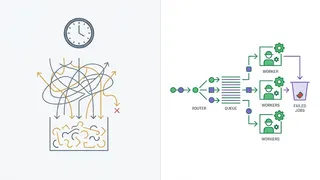
Forty-one overnight cron jobs with no retries, no ownership and no visibility, moved onto EventBridge, SQS and Step Functions with dead-letter queues and idempotent consumers.
You might also enjoy
More posts on similar topics
Databases & SQL
Most confusion about SQL is vocabulary rather than syntax. People know how to write a join and still get caught by a LEFT JOIN that quietly behaves like an INNER JOIN, because nobody explained that a
Observability & Monitoring
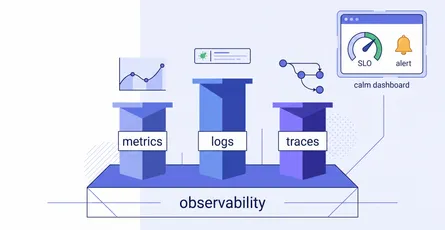
A quick-reference glossary for making sense of system health: the three pillars (metrics, logs, traces), the reliability vocabulary (SLI, SLO, error budget, burn rate), how good alerting works, and th

NoSQL Databases
Choosing a NoSQL database is not one decision, it is two: which data model, then which consistency behaviour. Getting the first wrong is expensive because in most of these stores the access pattern is
CI/CD & Automation
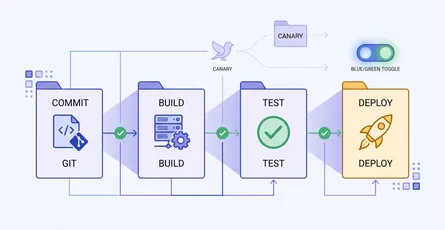
A quick-reference glossary of the terms you meet when automating builds, tests, and deployments: pipeline anatomy, test gates, and release strategies like canary and blue-green.
Kubernetes Advanced
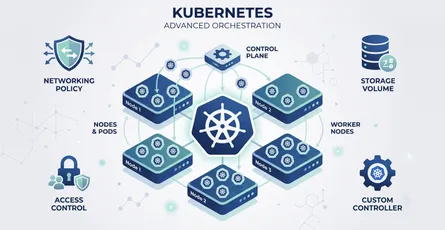
This glossary covers the advanced Kubernetes terminology platform engineers rely on: scheduling, networking, storage, security, extensibility, and the workload controllers that keep applications runni
5 related posts