Networking Fundamentals
Core networking terms every developer and engineer should know, covering IP addressing, DNS, protocols, routing, and the OSI model.
This glossary covers the core networking concepts every developer, DevOps engineer, and system administrator should know: how data is layered and addressed, and how it gets routed across the internet.
No terms found
Try adjusting your search query
Addressing
8
IP Address
A numerical label assigned to every device on an IP network so that other devices can find and talk to it. Comes in two flavors, IPv4 and IPv6.
IPv4
The original 32-bit Internet Protocol address format, written as four numbers separated by dots. It supports about 4.3 billion unique addresses, which the internet has now outgrown.
Example
IPv6
The 128-bit successor to IPv4, written as eight groups of four hex digits. The huge address space (340 undecillion addresses) solves IPv4 exhaustion and removes the need for many NAT workarounds.
Example
Subnet
A logical subdivision of an IP network. Splitting a network into subnets lets you organize hosts, control traffic between groups, and apply different security rules to each one.
CIDR Notation
A compact way to write an IP range as an address plus a slash and the number of network bits. The bits after the slash tell you how many addresses are in the range.
Example
Code Snippet
# Inspect addresses on Linuxip addr show# Calculate rangesipcalc 10.0.0.0/24Private IP Address
An address from a range reserved for internal networks and not routable on the public internet. Three blocks are reserved by RFC 1918, the most common being 10.0.0.0/8, 172.16.0.0/12, and 192.168.0.0/16.
Public IP Address
An address that is unique on the public internet and can be reached from anywhere. ISPs and cloud providers assign these from their allocated blocks.
Loopback (127.0.0.1)
A special address that always refers to the local machine. Anything you send to 127.0.0.1 (or "localhost") never leaves the host, which makes it perfect for testing services on your own machine.
DNS
6
DNS (Domain Name System)
The internet's phone book. DNS turns human-readable names like example.com into IP addresses that machines can route to.
A Record
A DNS record that maps a domain name to an IPv4 address. The AAAA record does the same for IPv6.
Code Snippet
# Look up the A record for a domaindig example.com A +short# Or with nslookupnslookup example.comCNAME Record
A canonical name record that points one domain name at another. It is the right tool for aliases like www.example.com pointing to example.com.
MX Record
A mail exchange record that tells other mail servers where to deliver email for a domain. Each MX record has a priority value to control failover order.
TTL (Time to Live)
How long a DNS record can be cached by resolvers before it must be looked up again, measured in seconds. Lower TTLs mean faster propagation of changes but more lookup traffic.
DNS Resolver
The DNS client (often run by your ISP, your OS, or a service like 1.1.1.1) that walks the DNS hierarchy on your behalf, caches the result, and returns the final answer to your app.
Models & Layers
5
OSI Model
A 7-layer reference model that describes how data moves through a network, from the physical wires up to the application. The layers are Physical, Data Link, Network, Transport, Session, Presentation, and Application.
Example
TCP/IP Model
The 4-layer model that actually runs the internet. Its layers (Link, Internet, Transport, Application) map loosely onto the OSI model but are simpler and reflect how real protocols are built.
Encapsulation
The process of wrapping data with headers (and sometimes trailers) at each layer as it travels down the stack to be sent. The receiving side strips those headers in reverse order.
Example
MAC Address
A 48-bit hardware address burned into a network interface card, unique to that physical device. It identifies the device on a local network at Layer 2.
Example
Frame, Packet, Segment
The unit of data at different layers. A frame is Layer 2 (Ethernet), a packet is Layer 3 (IP), and a segment is Layer 4 (TCP). Each one adds its own header.
Network Devices
9
LAN (Local Area Network)
A network covering a small area, like one home, office, or building. Devices on a LAN can usually talk to each other directly via Ethernet or Wi-Fi without going through the public internet.
WAN (Wide Area Network)
A network that spans large geographic distances and connects many LANs together. The public internet is the largest WAN.
VPN (Virtual Private Network)
An encrypted tunnel that makes a remote device behave as if it were on a private network. Used for secure remote access to corporate networks and for privacy on untrusted Wi-Fi.
Firewall
A device or software layer that filters traffic based on rules (source/destination IP, port, protocol, state). It is the first line of defense for blocking unwanted inbound and outbound connections.
Load Balancer
A device or service that spreads incoming requests across a pool of backend servers. It improves throughput, hides individual server failures, and is the foundation of horizontal scaling.
Proxy
An intermediary that forwards traffic on behalf of clients (forward proxy) or servers (reverse proxy). Reverse proxies like Nginx and HAProxy commonly sit in front of web apps to handle TLS, caching, and load balancing.
Latency
The time it takes a packet to travel from source to destination, usually measured in milliseconds. Unlike bandwidth, latency cannot be improved by adding more capacity, only by shorter paths and faster hops.
Bandwidth
The maximum data rate a link can carry, measured in bits per second (Mbps, Gbps). High bandwidth is great for big transfers; low latency matters more for interactive traffic.
Throughput
The actual data rate achieved on a network, which is always less than or equal to the bandwidth. Congestion, packet loss, and protocol overhead all eat into it.
Ports & Sockets
4
Port
A 16-bit number that identifies a specific service on a host. The combination of IP address and port (a socket) uniquely identifies an endpoint of a network conversation.
Well-Known Ports
Ports 0 to 1023, reserved for system services. Common ones include 22 (SSH), 53 (DNS), 80 (HTTP), 443 (HTTPS), and 3306 (MySQL).
Ephemeral Ports
The high-numbered ports (typically 49152 to 65535) that the OS picks at random for the client side of a connection. Each outgoing connection your laptop opens grabs one.
Socket
The endpoint of a network connection, identified by an IP address and a port. A TCP connection is uniquely defined by a four-tuple of source IP, source port, destination IP, and destination port.
Code Snippet
# List listening sockets on Linuxss -tulpn# Test if a port is opennc -zv example.com 443Protocols
9
TCP (Transmission Control Protocol)
A connection-oriented Layer 4 protocol that guarantees ordered, reliable delivery via acknowledgements and retransmissions. Web, email, SSH, and most application traffic ride on TCP.
UDP (User Datagram Protocol)
A connectionless Layer 4 protocol that fires datagrams without setup, acknowledgements, or retries. It is faster than TCP but unreliable, which suits DNS, video, voice, and gaming.
HTTP
The Hypertext Transfer Protocol, the request/response protocol of the web. A client sends a method (GET, POST, etc.) to a URL and the server responds with a status code and body.
Code Snippet
# Quick HTTP request from the terminalcurl -i https://example.comHTTPS
HTTP wrapped in TLS encryption. The browser and server perform a TLS handshake, agree on keys, then exchange normal HTTP messages over an encrypted channel.
TLS (Transport Layer Security)
The standard protocol for encrypting traffic on the wire and authenticating servers (and optionally clients) via X.509 certificates. TLS sits between TCP and the application protocol.
FTP / SFTP
File Transfer Protocol moves files between client and server. Plain FTP is unencrypted and largely deprecated; SFTP (file transfer over SSH) is the secure modern equivalent.
SSH (Secure Shell)
An encrypted protocol for remote login, command execution, and tunneling. It is the standard way to administer Linux servers and to forward ports securely across networks.
Code Snippet
# Connect to a remote host on the default SSH port (22)ssh -i ~/.ssh/key.pem ec2-user@1.2.3.4ICMP
The Internet Control Message Protocol, used by network devices to send error and diagnostic messages. Tools like ping and traceroute work by sending and listening for ICMP packets.
Code Snippet
ping example.comtraceroute example.comARP (Address Resolution Protocol)
Maps an IP address to a MAC address on a local network. When a host wants to send a packet to a local IP, it broadcasts an ARP request asking "who has this IP?" and caches the reply.
Routing & Switching
6
Router
A Layer 3 device that forwards packets between different networks by looking at destination IP addresses and consulting a routing table.
Switch
A Layer 2 device that forwards Ethernet frames between hosts on the same local network, using MAC addresses. Modern switches learn which port each MAC lives on automatically.
Gateway
A node (almost always a router) that connects one network to another. Hosts use their "default gateway" to send any traffic destined outside their local subnet.
NAT (Network Address Translation)
A technique where a router rewrites the source IP of outgoing packets so many devices with private IPs can share one public IP. It also keeps inbound connections from reaching internal hosts unless explicitly forwarded.
Example
Default Route
The "send anything I do not have a specific route for" entry in a routing table, usually 0.0.0.0/0 pointing at the default gateway.
Code Snippet
# Show the routing table on Linuxip route# See the default gatewayip route show defaultHop
One step along a packet's journey through routers. Traceroute lists every hop and the round-trip time to each one, which is how you find out where the latency is being added.
Comments
Was this useful?
Continue on this topic
The same subject, covered a different way from the glossary above.
- Cheatsheet
Linux Networking
The commands you reach for to diagnose and manage Linux networks. ip for interfaces and routes, ss for sockets, dig for DNS, traceroute for paths, and tcpdump for packets.
 Quiz
QuizGit: Version Control Fundamentals
Test your knowledge of Git fundamentals with a quiz covering commits, branches, merging, rebasing, remote repositories, staging, conflict resolution, and version control best practices.
 Code snippet
Essential Bash Variables for Every Script
Master the most useful Bash special parameters and environment variables. Learn how to use $0, $?, $@, $UID, $EUID, and XDG variables to write more reliable and portable scripts.
 Dev tip
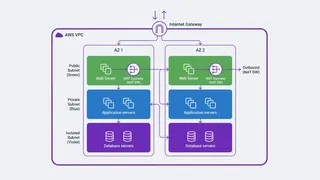
AWS VPC Design Best Practices: Subnets, Route Tables, and Security Groups
How to lay out an AWS VPC so it survives growth: CIDR planning that leaves room, three subnet tiers, one NAT Gateway per AZ, route tables that define what public actually means, security groups referencing each other instead of CIDRs, and the mistakes that cause production outages.
You might also enjoy
More posts on similar topics
Linux Server Administration
This glossary covers essential Linux server administration concepts: system architecture, user management, networking, storage, process management, performance tuning, and security hardening.
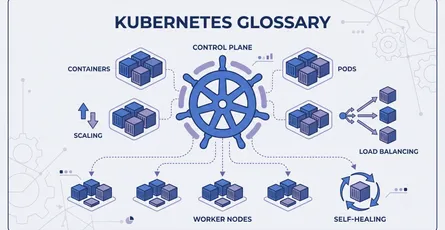
Containers & Kubernetes
This glossary covers essential terms for working with containers and Kubernetes: building Docker images, and managing workloads, networking, storage, scaling, and security in a Kubernetes cluster.

DevOps Basics
This glossary covers foundational terms used in DevOps and cloud engineering, spanning containerization, orchestration, infrastructure as code, CI/CD pipelines, observability, and deployment strategie
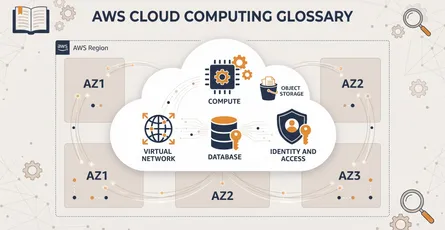
Cloud Computing on AWS
This glossary covers the essential Amazon Web Services terms every cloud engineer and architect should know: compute, storage, networking, databases, and the identity controls that keep it all secure.
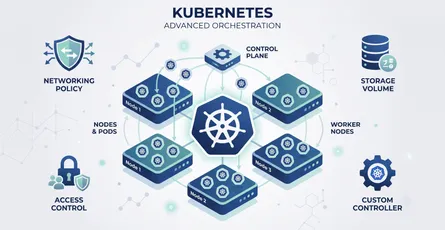
Kubernetes Advanced
This glossary covers the advanced Kubernetes terminology platform engineers rely on: scheduling, networking, storage, security, extensibility, and the workload controllers that keep applications runni
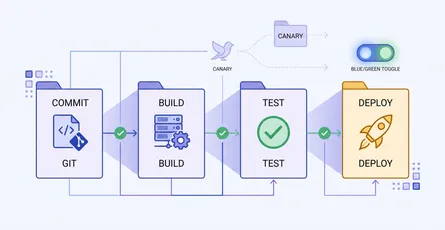
CI/CD & Automation
A quick-reference glossary of the terms you meet when automating builds, tests, and deployments: pipeline anatomy, test gates, and release strategies like canary and blue-green.
6 related posts