Nginx
A practical Nginx reference. Server blocks and the location matching order, reverse proxying to an upstream, TLS termination, gzip and brotli, rate limiting, and the commands you reach for when a config will not load.
Most nginx confusion comes from one place: the order it uses to pick a location block. It is not the order in the file, and it is not the first thing that matches.
Two consequences fall out of that order. A longer prefix always beats a shorter one regardless of position, so reordering the file is almost never the fix. And a regex that matches beats the prefix nginx had remembered, which is why a location ~* \.png$ further down the file will happily steal requests from the location /images/ above it.
On AWS the more useful question is which of nginx’s jobs something else has already done.
The reference below is grouped the way the work splits: the shape of a config file, choosing a server and a location, proxying to an application, TLS, the performance directives, and the handful of commands for when none of it is behaving.
No commands found
Try adjusting your search term
Config structure
How a config file is organised, and which directives are legal where.
Contexts
The nesting that decides where a directive may appear.
The four contexts you write in
A directive is only legal in certain contexts, and the error message names the context rather than the fix, so knowing the nesting is most of debugging a config.
# main context: worker processes, user, error_loguser www-data;worker_processes auto;
events { worker_connections 1024; }
http { # http context: gzip, log_format, upstream, mime types include /etc/nginx/mime.types;
server { # server context: listen, server_name, ssl_certificate listen 80; server_name example.com;
location / { # location context: root, proxy_pass, try_files root /var/www/html; } }}- Most directives inherit downward: set `gzip on` in `http` and every server and location gets it unless one overrides it.
- Inheritance is by replacement, not merge. A `location` with its own `add_header` discards every `add_header` from its parent, which surprises people writing security headers.
Where the files live
The `sites-available` and `sites-enabled` split is a Debian and Ubuntu convention, not an nginx feature. RHEL and the official image use `conf.d` only.
/etc/nginx/nginx.conf # main file, includes the rest/etc/nginx/conf.d/*.conf # usual place for your servers/etc/nginx/sites-available/ # Debian convention: written here/etc/nginx/sites-enabled/ # symlinked here to activate- Enable a site with `ln -s ../sites-available/x.conf .` from inside `sites-enabled`, and disable by removing the symlink.
- A file in `conf.d` that does not end in `.conf` is silently ignored, which is a fine way to lose an hour.
Server blocks and name matching
Which server block answers a request, and what happens when none obviously does.
A minimal pair of server blocks
The first block catches anything that does not match a real host name. `return 444` closes the connection without a response, which is the usual answer to bots probing by IP address.
server { listen 80 default_server; server_name _; return 444; # close without responding}
server { listen 80; server_name example.com www.example.com; root /var/www/example;}- Without an explicit `default_server`, the first block for that port becomes the default, which is rarely the one you meant.
- `server_name _;` is not special syntax. It is simply a name no real host can have, so it never matches by accident.
The matching order for server_name
Nginx tries these in order and stops at the first match, so an exact name always beats a wildcard no matter where each appears in the file.
server_name example.com; # 1. exactserver_name *.example.com; # 2. leading wildcardserver_name mail.*; # 3. trailing wildcardserver_name ~^www\d+\.example\.com$; # 4. regex, in file order- If nothing matches, the `default_server` for that listen port answers.
- A regex `server_name` can capture: `~^(?<sub>.+)\.example\.com$` makes `$sub` available in the block.
Location matching
The order nginx uses to choose a location block, which is the source of most surprises.
The matching order
Exact, then longest prefix, then regex, and only one of those steps cares about file order.
The five steps, in order
Nginx checks for an exact match, remembers the longest matching prefix, then tries regex blocks in file order. A matching regex beats the remembered prefix unless that prefix used `^~`.
location = /healthz { return 200 'ok'; } # 1. exact, wins outrightlocation ^~ /assets/ { root /var/www; } # 3. prefix, stops the searchlocation /images/ { root /var/www; } # 2. prefix, rememberedlocation ~* \.(png|css)$ { proxy_pass http://app; } # 4. regex, file orderlocation / { proxy_pass http://app; } # 5. fallback- Prefix blocks are ranked by length, so their order in the file is irrelevant. This is the single most common wrong assumption about nginx.
- File order matters only among regex blocks.
The trap, and the two-character fix
Every "nginx is ignoring my location block" report is a version of this. The block is not ignored; a regex further down matched and regex outranks a plain prefix.
# Broken: the regex wins, and PNGs get proxied instead of servedlocation /images/ { root /var/www; }location ~* \.png$ { proxy_pass http://app; }
# Fixed: ^~ stops the search before regex is reachedlocation ^~ /images/ { root /var/www; }location ~* \.png$ { proxy_pass http://app; }- Reordering the file does not help here. Only `^~`, an exact match, or a narrower regex does.
- `~` is case sensitive, `~*` is not.
Reverse proxy
Passing requests to an application, and the headers that have to travel with them.
proxy_pass and upstreams
The trailing slash, the headers, and load balancing across several backends.
The trailing slash changes the path
A URI on `proxy_pass`, even a bare slash, replaces the matched location prefix. No URI means the full original path is passed through.
# Request: /api/users
location /api/ { proxy_pass http://app:3000; }# -> http://app:3000/api/users (prefix kept)
location /api/ { proxy_pass http://app:3000/; }# -> http://app:3000/users (prefix stripped)- This is the most consequential single character in an nginx config.
- A `proxy_pass` with a URI cannot be used inside a regex location, because there is no fixed prefix to replace.
The headers an upstream actually needs
Without these the application sees nginx as the client: the wrong IP in its logs, the wrong scheme when it builds absolute URLs, and the wrong host in redirects.
location /api/ { proxy_pass http://app:3000; proxy_set_header Host $host; proxy_set_header X-Real-IP $remote_addr; proxy_set_header X-Forwarded-For $proxy_add_x_forwarded_for; proxy_set_header X-Forwarded-Proto $scheme;
proxy_http_version 1.1; proxy_read_timeout 60s;}- `$proxy_add_x_forwarded_for` appends rather than replaces, which is what preserves the chain through several proxies.
- `proxy_http_version 1.1` is required for keepalive to an upstream, and for WebSockets.
WebSockets, and load balancing
The `Upgrade` and `Connection` headers are what turn a proxied HTTP request into a WebSocket. The long read timeout is what keeps an idle socket alive.
upstream app { least_conn; # or ip_hash, or default round robin server app1:3000 max_fails=3 fail_timeout=30s; server app2:3000; server app3:3000 backup; # only used when the others are down keepalive 32;}
location /ws/ { proxy_pass http://app; proxy_http_version 1.1; proxy_set_header Upgrade $http_upgrade; proxy_set_header Connection "upgrade"; proxy_read_timeout 3600s; # or the socket dies after 60s}- `keepalive 32` in the upstream needs `proxy_http_version 1.1` and an empty `Connection` header in the location to take effect.
- `ip_hash` gives sticky sessions by client address, which breaks when everyone arrives through the same NAT gateway.
TLS and headers
Terminating HTTPS, redirecting, and the response headers worth setting.
TLS termination
A modern configuration, and the redirect that goes with it.
A current TLS server block
`fullchain.pem` rather than `cert.pem`: nginx does not build the chain for you, and a missing intermediate is the classic "works in my browser, fails in curl" bug.
server { listen 443 ssl; http2 on; # 1.25.1+; older builds: listen 443 ssl http2; server_name example.com;
ssl_certificate /etc/letsencrypt/live/example.com/fullchain.pem; ssl_certificate_key /etc/letsencrypt/live/example.com/privkey.pem;
ssl_protocols TLSv1.2 TLSv1.3; ssl_prefer_server_ciphers off; # let the client choose, per current guidance ssl_session_cache shared:SSL:10m; ssl_session_timeout 1d; ssl_stapling on; ssl_stapling_verify on;
add_header Strict-Transport-Security "max-age=31536000; includeSubDomains" always;}- `ssl_prefer_server_ciphers off` is current guidance for TLS 1.3, where the client ordering is trusted.
- The `always` on `add_header` is what makes the header appear on error responses too, which is where it is most often missing.
Redirect HTTP to HTTPS
`return` is cheaper and clearer than a `rewrite`. `$host` preserves whichever name the client used, so one block serves both.
server { listen 80; server_name example.com www.example.com; return 301 https://$host$request_uri;}- Do not use `$server_name` here: it is the first name in the block, so www visitors would be redirected to the bare domain and lose the distinction.
- Behind a load balancer that already terminates TLS, redirect on `$http_x_forwarded_proto` instead, or you will loop.
Performance and limits
Compression, caching headers, rate limiting, and upload sizes.
Compression and static files
Serving assets efficiently, and telling the client how long to keep them.
Compression that is worth having
`text/html` is always compressed and cannot be listed. Compressing already-compressed formats such as png, jpeg or woff2 wastes CPU and can make them slightly larger.
gzip on;gzip_vary on; # vary the cache on Accept-Encodinggzip_min_length 1024; # below this, framing costs more than it savesgzip_comp_level 5; # 6+ costs CPU for very little sizegzip_types text/plain text/css application/json application/javascript text/xml application/xml image/svg+xml;- `gzip_vary on` matters the moment a CDN sits in front, or it may serve a compressed body to a client that cannot read it.
- Brotli needs a module that is not in the default build. Where a CDN is in front, let the CDN do it.
Cache headers for hashed assets
The pairing that makes a build pipeline work: fingerprinted assets cached for a year and never revalidated, with the HTML that references them never cached.
location ^~ /assets/ { root /var/www; expires 1y; add_header Cache-Control "public, immutable"; access_log off;}
location = /index.html { root /var/www; expires -1; # always revalidate add_header Cache-Control "no-cache";}- `immutable` tells the browser not to revalidate even on a reload, which is safe only for content-hashed filenames.
- `^~` on the assets prefix stops a later regex block from claiming these files.
Rate limiting and body size
Protecting an upstream, and the two limits that generate the most support tickets.
Rate limiting with a burst
`burst=20` allows a queue of 20 beyond the steady rate. `nodelay` serves that burst immediately instead of spacing it out, which is what real traffic looks like.
# In http: a 10 MB zone holds roughly 160,000 addresseslimit_req_zone $binary_remote_addr zone=api:10m rate=10r/s;
location /api/ { limit_req zone=api burst=20 nodelay; limit_req_status 429; proxy_pass http://app:3000;}- Without `nodelay`, bursts are queued and released at exactly the rate, so a page loading 15 assets at once feels artificially slow.
- Default `limit_req_status` is 503, which says "server problem". 429 says "you are going too fast", which is what you mean.
Upload size, in two places
The default is 1 MB, and exceeding it returns 413 before the request ever reaches your application, so the app logs show nothing at all.
client_max_body_size 20m; # nginx: 413 above thisclient_body_buffer_size 128k; # larger bodies go to a temp file- Set it in `http` for everywhere, or in the one upload `location` to keep the limit tight elsewhere.
- The application usually has its own limit as well. Raising only the nginx one moves the failure rather than fixing it.
Running it
Reloading, reading logs, and finding out what nginx actually thinks the config is.
Commands and signals
Testing, reloading without dropping connections, and inspecting the effective config.
The four commands worth memorising
A reload starts new workers with the new config and lets old workers finish their current connections, so there is no dropped request and no downtime.
nginx -t # syntax check, names the file and line on failurenginx -T # check AND dump the full effective confignginx -s reload # reload gracefully, existing connections finishnginx -V 2>&1 | tr ' ' '\n' | grep _module # which modules this build hasnginx -tnginx: the configuration file /etc/nginx/nginx.conf syntax is oknginx: configuration file /etc/nginx/nginx.conf test is successful- Always `nginx -t` before `nginx -s reload`. A reload with a broken config leaves the old one running, but in a container it means the process exits and the container restarts.
- `nginx -V` is how you find out whether brotli or the real-IP module is compiled in, which is not something the config can tell you.
Logs, and what to put in them
`$request_time` is what the client experienced. `$upstream_response_time` is what the application took. The gap between them is nginx, the network, or a slow client body.
log_format main '$remote_addr $host "$request" $status $body_bytes_sent ' 'rt=$request_time urt=$upstream_response_time ' 'ua="$http_user_agent"';
access_log /var/log/nginx/access.log main;error_log /var/log/nginx/error.log warn;- Those two timings side by side answer "is it us or the app" without any other tooling.
- `error_log` at `debug` needs a build with `--with-debug`; otherwise the level is silently capped.
Was this useful?
Continue on this topic
The same subject, covered a different way from the cheatsheet above.
 Quiz
Nginx: Web Server Fundamentals
Test your knowledge of Nginx configuration, reverse proxying, load balancing, and SSL/TLS termination.
 Article
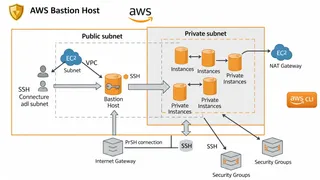
How To Setup Bastion Host on AWS using AWS CLI
In this post, we will learn the best practices of setting up a Bastion Host on AWS using the AWS CLI for secure and remote access to EC2 instances within a Virtual Private Cloud (VPC). We will guide you through creating a VPC, subnets, internet gateway, and configuring the Bastion Host with the appropriate permissions. This post is intended for those who are familiar with AWS and have some basic knowledge of networking and SSH.
 Dev Tip
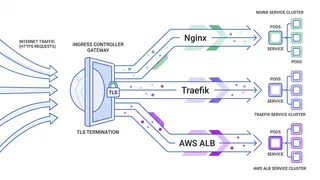
Kubernetes Ingress Controllers Explained: Nginx, Traefik, and AWS ALB Compared
A practical comparison of the most widely used Kubernetes Ingress controllers. You will learn how Nginx, Traefik, and the AWS Load Balancer Controller handle routing, TLS, and more, plus how to pick the right one for your setup.
 Glossary
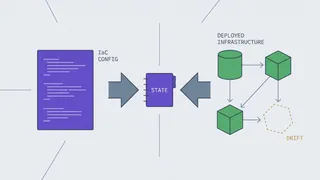
Terraform & Infrastructure as Code
Terraform and infrastructure-as-code terminology: providers and resources, the state file and remote backends, drift and refresh, modules and for_each, the plan and apply workflow, and the concepts underneath it all.
You might also enjoy
More posts on similar topics
OpenSSL
- Mohammad Abu Mattar
- Security
- Networking
- CLI Tool
Most OpenSSL use falls into two very different jobs. One is creating things: keys, CSRs, an internal CA. The other is answering "why does this TLS connection not work", which is where the tool earns i
Linux Networking
- Mohammad Abu Mattar
- Linux
- Networking
- DevOps
- CLI
- SysAdmin
Every Linux box speaks the network through a small set of tools, and knowing them turns "the network is broken" into a specific, fixable answer. This cheatsheet covers the modern stack: ip for inter
YAML
- Mohammad Abu Mattar
- Data Format
- YAML
- Configuration
- Data Serialization
- DevOps
- Infrastructure
YAML (YAML Ain't Markup Language) is a human-friendly data serialization language widely used for configuration files, data exchange, and infrastructure-as-code. It emphasizes readability and uses ind
jq
- Mohammad Abu Mattar
- CLI Tool
- Config & Data Formats
- DevOps
jq clicked for me the day I stopped thinking of it as a JSON string transformer. It is a stream of values, and every filter takes a stream in and emits a stream out. That one idea explains the parts t
GitHub Actions
- Mohammad Abu Mattar
- CI/CD
- DevOps
- GitHub
- Automation
- YAML
GitHub Actions runs your CI/CD directly from YAML files in .github/workflows/, and most of the job is knowing which key does what. A workflow reacts to events, splits into jobs that run on runners,
kubectl
- Mohammad Abu Mattar
- DevOps
- Kubernetes
- CLI
- Container Orchestration
- Cloud Native
kubectl is the command-line tool you use to talk to a Kubernetes cluster. Whatever you can do through a dashboard, you can do faster here: deploy apps, inspect resources, stream logs, run commands ins
6 related posts